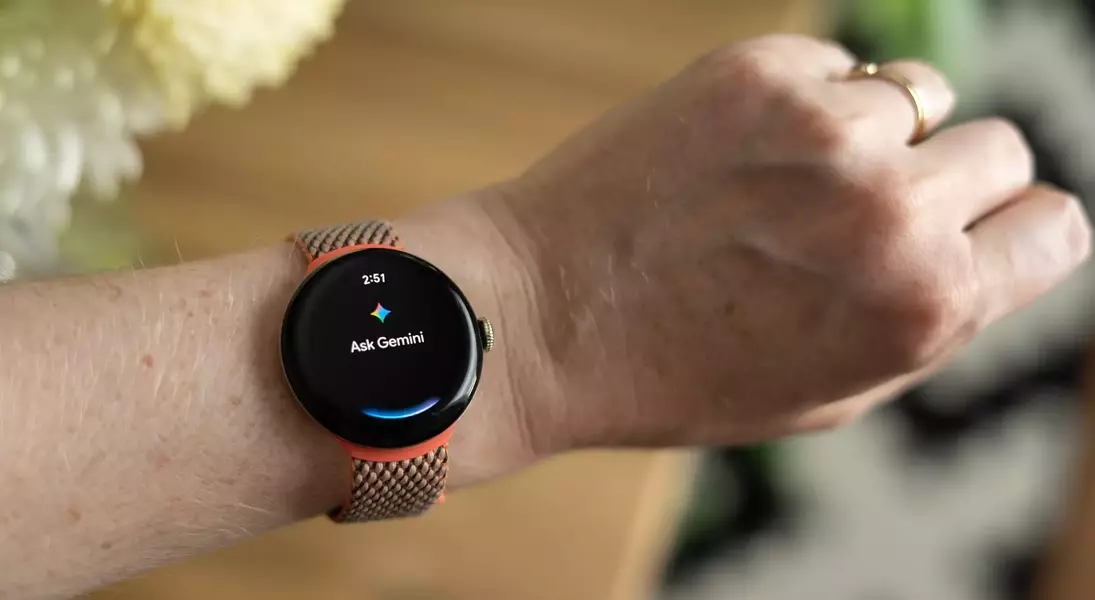
This article details a personal exploration of Google's new Gemini AI on the Pixel Watch, offering a candid look at its functionalities and user experience. It provides insights into the practicality of an AI assistant directly on the wrist, highlighting its strengths in certain everyday queries while also addressing concerns regarding accuracy and the necessity of independent verification.
Experience AI on Your Wrist: Convenience Meets Caution
Initial Impressions of Wrist-Based AI Interaction
My recent interactions with Gemini on the Pixel Watch have been quite telling. During one instance, I posed a whimsical question about oddly named pastries, and the AI promptly suggested something rather amusing, eliciting an immediate laugh. However, that amusement quickly led to a moment of skepticism, prompting me to question the veracity of the AI's response. This brief exchange encapsulates the dual nature of having artificial intelligence readily accessible on your wrist: it offers remarkable convenience but also raises immediate concerns about reliability.
Seamless Integration and Everyday Utility
Google recently rolled out a Wear OS update that introduces Gemini Assistant to smartwatches. To my surprise, the update installed itself automatically on my Pixel Watch 2, appearing as a new notification. Having grown accustomed to the assistance Gemini provides on my Android phone, I've found its wrist-based presence to be a natural extension. While I don't typically use AI for complex tasks like travel planning or shopping, it proves invaluable for more nuanced questions that go beyond simple search engine queries. The previous inconvenience of needing my phone for such questions, especially while driving or in another room, has largely disappeared. Now, with Gemini on my wrist, these 'AI moments' are constant, albeit with a slight feeling of always being connected.
Practical Applications and Unforeseen Challenges
My testing began with a practical, albeit obvious, question: whether to wash a sweet potato before peeling. Gemini, echoing my husband's immediate affirmative, provided a concise and accurate answer. The AI also performed admirably when asked for local coffee shop recommendations, even successfully identifying a 'chic, artisanal coffee shop' in a different area and seamlessly launching Google Maps for directions. However, calendar management presented a more ambiguous experience. While Gemini could create new events and locate flight details, it mysteriously failed to acknowledge existing appointments on my upcoming schedule and couldn't access shared calendars, highlighting a persistent issue with fragmented digital organization.
The Double-Edged Sword of Wearable AI
The reliability of Gemini encountered a notable hiccup when I queried the ferry schedule, providing information that was nearly 35 minutes off. This incident underscores a critical limitation of AI on a small screen: the inability to easily cross-reference or verify information. Without direct web browsing capabilities, users are left to blindly trust the AI's output, despite the small disclaimer about potential inaccuracies. Considering how infrequently users click through to sources on web search AI summaries, it's questionable how many will bother to verify wrist-based AI responses.
Embracing and Acknowledging AI's Limitations
Despite these challenges, my inclination is to continue frequent and extensive use of Gemini on my smartwatch. The sheer convenience of instant answers to low-stakes questions is undeniably appealing and will likely lead to even more frequent usage. I like to believe I possess the discernment to double-check crucial information, but this reliance on easily accessible AI might challenge that resolve. The pervasive presence of AI in such a convenient form factor means that many will increasingly turn to it for all types of queries, making the occasional inaccuracies a critical point for awareness. It's a reminder to always verify vital details, especially when relying on AI at arm's length.
