The recent unveiling of Apple's iOS 26 public beta has sparked considerable discussion, particularly concerning the redesigned Phone application. While the new 'Unified' interface aims to integrate call functions into a single, cohesive display, not all users have found this change beneficial. This report delves into the features of the updated Phone app and, crucially, outlines the simple steps to revert to the more traditional 'Classic' layout for those who prefer its familiar utility.
Navigating the New Phone App in iOS 26: Unified vs. Classic Views
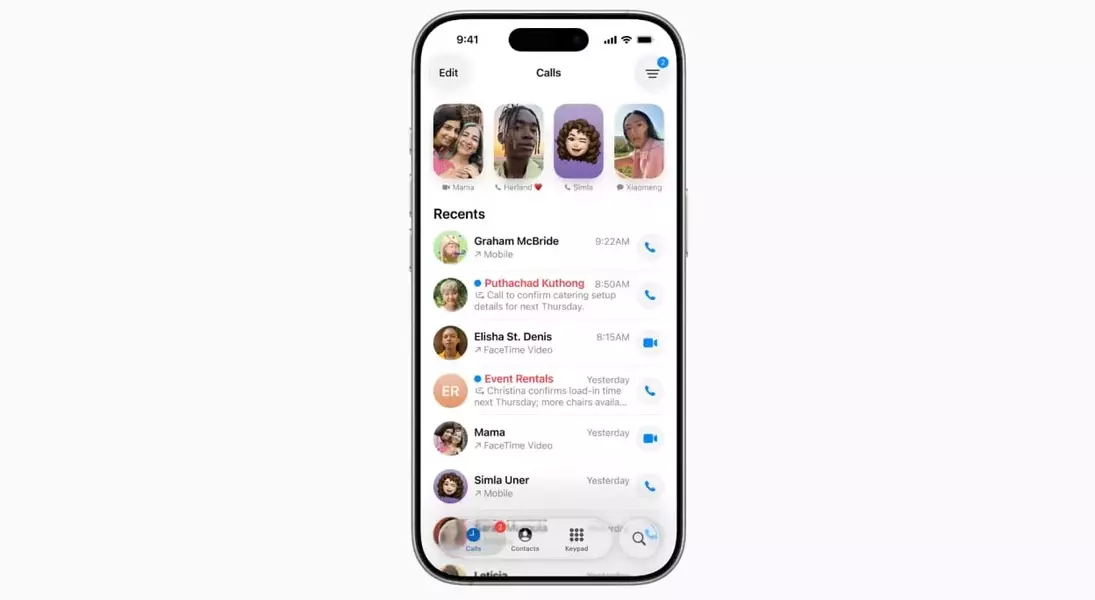
In the vibrant digital landscape of Apple's latest software, iOS 26, a significant alteration has been introduced to the core Phone application. This update presents users with a 'Unified' view, which consolidates recent calls, favorite contacts, and voicemail messages onto a single, encompassing screen. A notable shift in this design is the relocation of the search bar, transitioning from its customary position at the top to a more subtle icon in the bottom right corner.
For some, this consolidated approach offers a sleek, modern aesthetic, reducing perceived clutter. However, many users, accustomed to a rapid and direct interaction with their phone for urgent communication, have found this new layout to be less intuitive. When time is of the essence—perhaps when trying to reconnect with a delivery driver or an unexpected caller—the immediate display of a clear list of recent calls, coupled with an easily accessible search bar, becomes paramount.
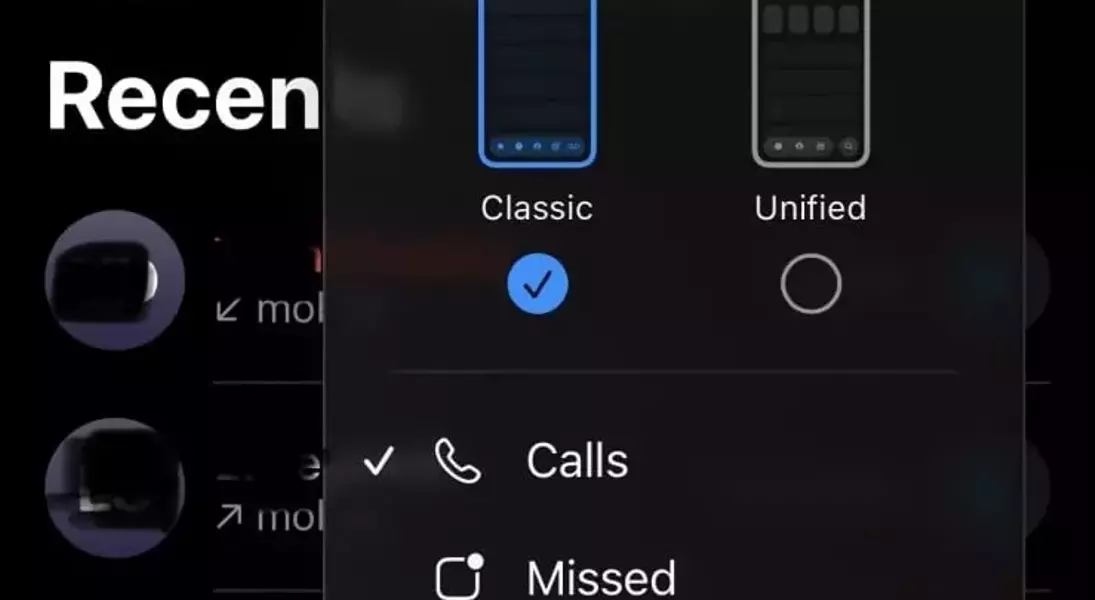
Recognizing this, Apple, with its characteristic foresight, has provided a seamless pathway back to the 'Classic' view. This option reinstates the distinct tabs for Recents, Favorites, and Voicemail, along with the readily available search bar at the top of the screen. To make this switch, users simply need to open the Phone app, navigate to the Calls tab, tap on the three-line icon situated in the upper right corner, and select 'Classic.' This instantly restores the interface to its previous, more segmented, and for some, more efficient design. Additionally, the 'Classic' view conveniently includes a one-tap filter at the top for quickly toggling between 'All' and 'Missed' calls, a feature absent in the 'Unified' iteration.
Reflecting on User Experience and Design Evolution
The introduction of the 'Unified' Phone app in iOS 26 highlights an ongoing tension in technology: the delicate balance between innovation and user familiarity. While the impulse to streamline and modernize interfaces is understandable, this particular instance underscores the importance of considering diverse user behaviors and preferences. For many, the Phone app is not merely a feature to be aesthetically pleasing or consolidated; it is a critical utility demanding immediate and unambiguous functionality, especially in time-sensitive situations. Apple's decision to retain the 'Classic' view as an accessible alternative is a commendable acknowledgment of user feedback and varying needs. It serves as a reminder that true innovation often lies not just in introducing the new, but in thoughtfully refining and providing choices that empower users to tailor their digital experience to their personal workflows and habits.
