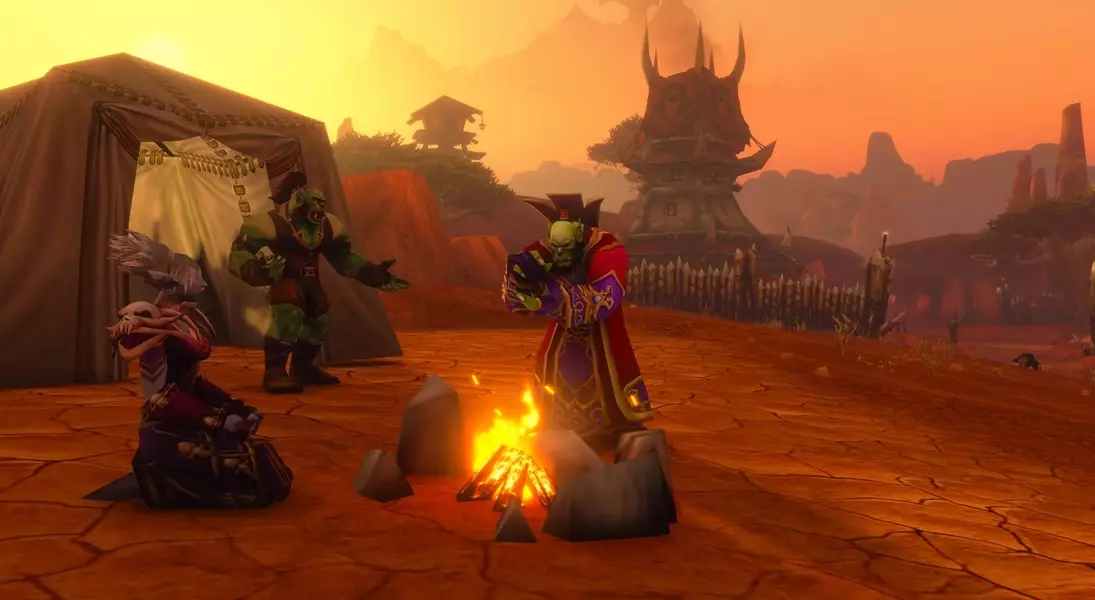
This article details the 'Great Outdoors' quest within 'World of Warcraft: Forever,' a straightforward task that occasionally presents a minor technical issue. The quest's primary objective involves interacting with a campfire to receive a temporary enhancement. However, a known glitch can impede players from completing this initial step, potentially hindering access to further game content. Fortunately, a simple command-line input can often rectify this problem, ensuring a smoother progression through the early stages of the game's professions and crafting systems.
The "Great Outdoors" Quest in WoW: Forever
Upon venturing out from the initial starting zones in 'World of Warcraft: Forever,' adventurers will encounter the 'Great Outdoors' quest. This introductory mission serves as a tutorial on the utility of campfires, highlighting the passive benefits they offer. To advance, players are required to position their character in front of a lit campfire. This action initiates a temporary effect known as 'Welcoming Campfire,' which counts down for a minute. Successful completion of this countdown grants the character a beneficial buff and marks the quest as finished. This process is designed to acquaint new players with the importance of utilizing environmental elements for strategic advantages and recovery.
While designed to be simple, the 'Great Outdoors' quest in 'WoW: Forever' has a known issue where some players find themselves unable to progress past the initial 'sit' command. Although the standard 'X' key is intended to trigger the sitting action, the game may not register it, effectively blocking quest completion. This bug can be particularly frustrating as the quest line is crucial for unlocking follow-up missions related to early-game professions and crafting, which are essential for character development. A common and often effective solution involves manually inputting the '/sit' command into the game's chat interface immediately after attempting to sit with the 'X' key. This manual override frequently bypasses the registration error, allowing players to successfully acquire the 'Welcoming Campfire' buff and continue their adventures in Azeroth. Developers are likely aware of this issue and are expected to deploy a fix in future updates.
Resolving the Quest Progression Issue
Players experiencing difficulties with the 'Great Outdoors' quest, specifically when the sitting action fails to register, have a straightforward method to overcome this hurdle. After attempting to sit in front of the campfire using the designated 'X' key, players should open their chat window and type '/sit' followed by pressing Enter. This command forces the character into the sitting animation, which is typically enough to trigger the next stage of the quest: the appearance of the 'Welcoming Campfire' buff. This buff will then begin its 60-second countdown, after which the quest will be marked as complete, allowing players to proceed with their journey and access subsequent profession and crafting quests offered by the NPC.
The described workaround for the 'Great Outdoors' quest's sitting bug is a valuable tip for many players who might otherwise get stuck. The 'Welcoming Campfire' buff, which is central to completing this task, provides insight into the game's mechanics regarding rest and passive bonuses. By successfully employing the '/sit' command, players not only resolve the immediate quest blockage but also gain access to a series of follow-up quests that introduce them to various crafting and gathering professions. These professions are fundamental to gameplay in 'World of Warcraft: Forever,' allowing players to create items, gather resources, and enhance their character's capabilities. Without completing 'The Great Outdoors,' players would miss out on these foundational aspects, making this simple chat command a critical step for a smooth and engaging early-game experience.