The Samsung Galaxy Z Flip7, the latest iteration of the innovative flip-style foldable device unveiled at Samsung's Summer 2025 Unpacked event, boasts a significant advancement with its expansive 4.1-inch outer display. This marks the largest cover screen on any flip foldable currently available. Yet, the functionality of this impressive external display is somewhat constrained by Samsung's imposed limitations on compatible applications. This presents a challenge for users seeking to fully leverage the device's potential, particularly when compared to rivals like Motorola, which offer greater flexibility in running diverse applications on their cover screens.
While the Z Flip7's external display offers a convenient way to check notifications and perform quick actions without unfolding the device, Samsung's approach contrasts sharply with other manufacturers. For instance, Motorola's flip foldable permits a wide array of applications to operate seamlessly on its cover screen, enabling users to interact with messages, execute quick tasks, or even view videos directly from the compact external interface. This unrestricted access allows for a more fluid and integrated user experience, potentially contributing to extended battery life by minimizing the need to activate the larger internal screen.
Samsung's rationale for curating the cover screen experience stems from a desire to ensure optimal performance and compatibility. However, the company has also provided a pathway for users to expand the available application selection, albeit through a somewhat involved procedure. This workaround, requiring several steps, is a notable improvement over previous models in terms of complexity, but it still demands user engagement to unlock the full potential of the device's external display.
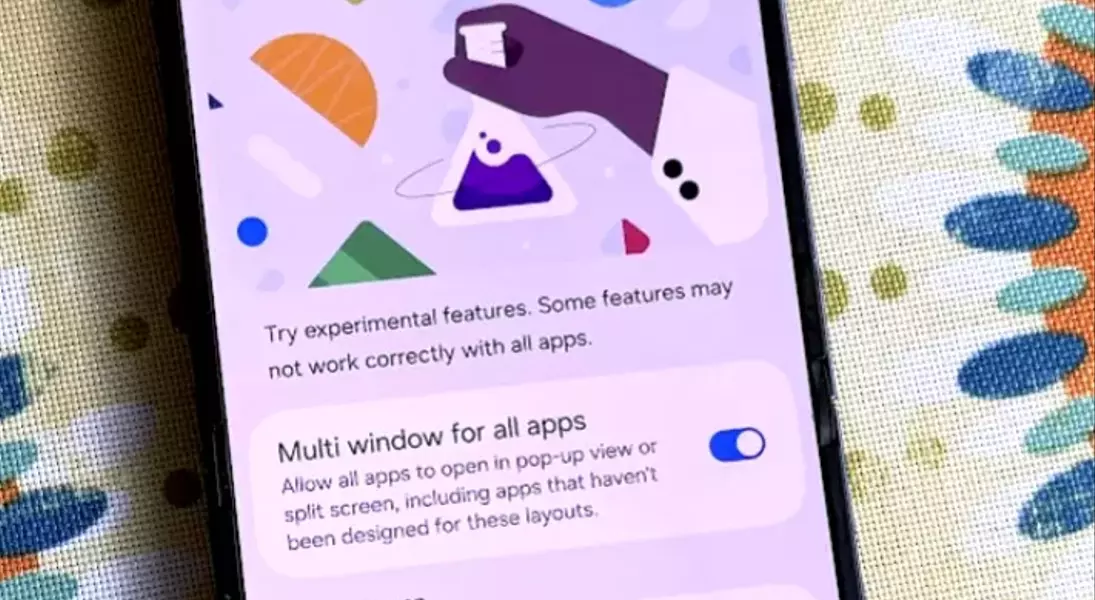
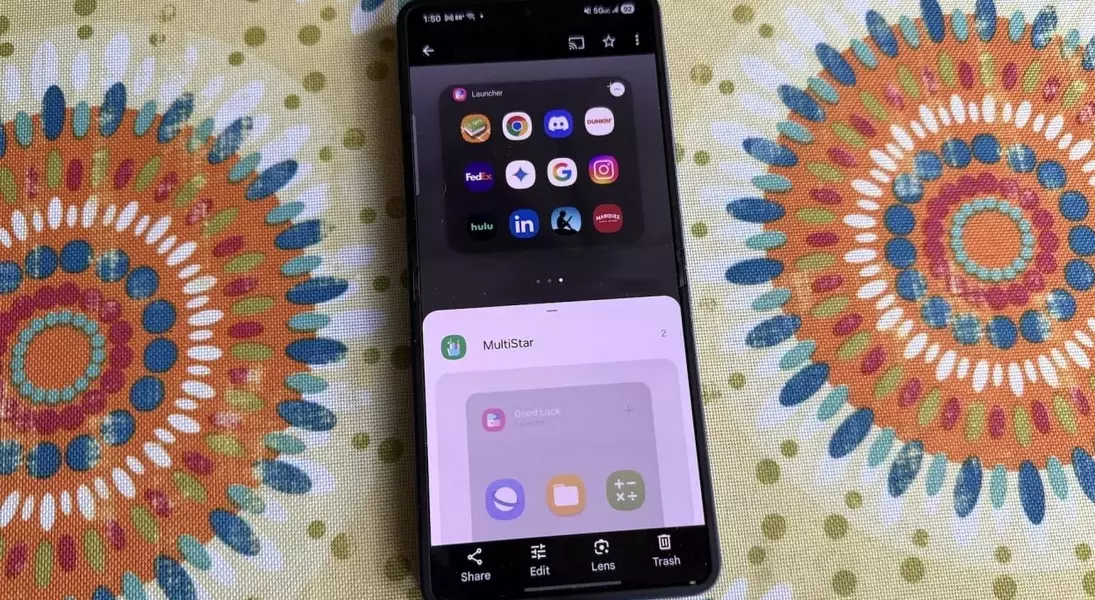
To enable unrestricted application access on your Samsung Galaxy Z Flip7's cover screen, users must navigate through a series of system settings and install an additional utility. The process begins by accessing the 'Settings' menu, then proceeding to 'Advanced Features,' and finally selecting 'Labs.' Within the Labs section, it is necessary to activate switches for 'Multi window' across all applications, enable 'Use main screen navigation on cover screen,' and specifically allow 'Apps allowed on cover screen (Labs).' Following this, selecting 'Apps allowed on cover screen' and then choosing 'Get MultiStar' will initiate the download and installation of the MultiStar application from the Galaxy Store. Users will be prompted to accept the Galaxy Store's privacy notice and confirm the installation. After successful installation, returning to the previous menu and re-selecting 'Get MultiStar' will present a list of applications. Users can then scroll through this list and select any desired applications to be accessible on the cover screen. Finally, activating the 'Enable Launcher Widget' and tapping 'Launcher' under the MultiStar option will integrate the chosen applications into a new widget on the cover screen.
Upon completing these steps, a new widget will appear on the cover screen, populated with the icons of all selected applications. This also makes certain games, like 'Stack Bounce' from Gamesnacks, available for direct play on the cover screen. However, it's important to note that not all applications may render perfectly on the smaller external display. Users might encounter issues such as incorrect sizing or portions of the app being obscured by the phone's camera lenses. Additionally, when an application is launched on the cover screen, a small icon at the bottom center allows for adjusting the aspect ratio (16:9, 2:1, 20:9, or 21:9). While cycling through these options is possible, the phone does not retain specific aspect ratio preferences for individual applications; any selected ratio will apply to subsequently opened applications until changed again. This limitation reflects Samsung's underlying design philosophy to control the user experience. Nevertheless, the ability to customize and utilize any application on the Z Flip7's cover screen offers a significant enhancement to its versatility and user convenience.
