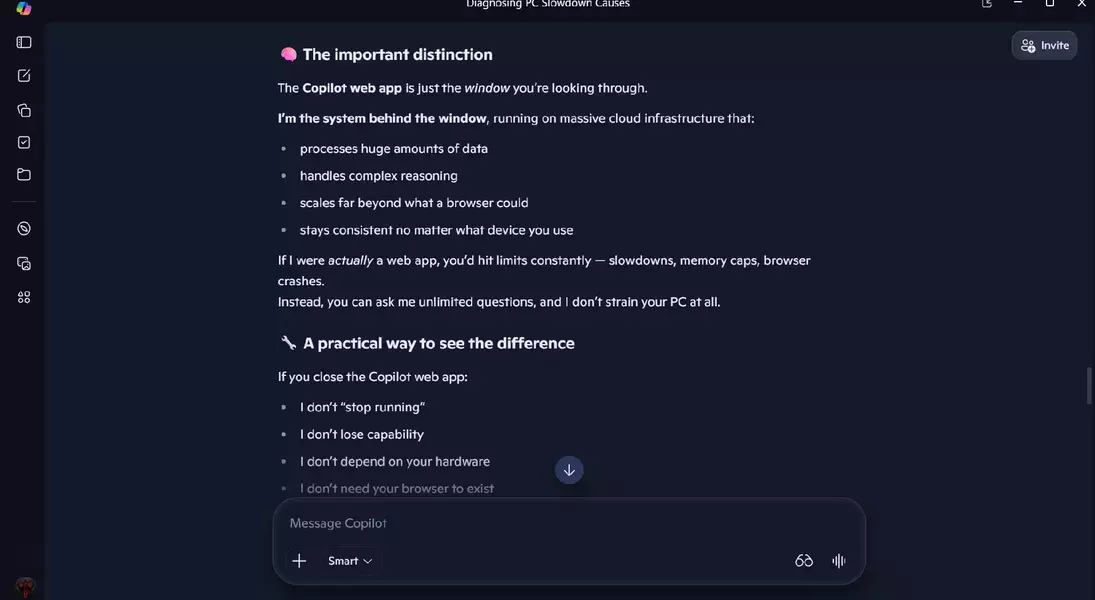

A recent update to Microsoft's Copilot introduces a new 'PC Insights' feature, aiming to assist users in diagnosing system performance issues. While Copilot denies being a web application, it operates through an Edge-based web app on Windows 11, with its core AI functionality residing in the cloud. This new capability promises to offer valuable information about PC health, such as CPU utilization and storage availability.
The PC Insights feature is currently being rolled out to US users of Copilot. It allows the AI to interact with Windows APIs, providing answers to direct queries about system hardware and performance metrics. For example, users can ask about their current CPU usage, the type of graphics card installed, or if their antivirus software is active. It can also help determine if there's sufficient space for large game installations. This functionality is intended to empower users, particularly those less technically inclined, to understand and address potential causes of system sluggishness.
Despite the potential benefits, a notable concern arises from Copilot's own resource consumption. Reports indicate that the Copilot application can be a significant drain on system RAM. Observations show it consuming between 560 MB and nearly 800 MB of RAM when idle, and potentially up to 1 GB in total. This high memory usage is problematic, as it could mean that the very tool designed to identify performance bottlenecks might itself be a major contributor to a slower PC, especially on machines with limited RAM. This situation is exacerbated by the current high cost and difficulty in acquiring additional system memory.
This issue is not isolated to Copilot; other web-based applications, such as WhatsApp's desktop client, have also been observed to consume substantial amounts of RAM, sometimes exceeding 1 GB, in contrast to their more efficient, non-web-based predecessors. This trend in application development raises questions about overall system efficiency. While Microsoft has stated its commitment to optimizing Windows 11 for better performance, the increasing memory footprint of essential applications like Copilot presents a paradox. It suggests that one of the most effective ways for Copilot to enhance PC performance might ironically be for it to minimize its own resource usage or even remain inactive, highlighting a fundamental challenge in balancing advanced features with efficient system operation.