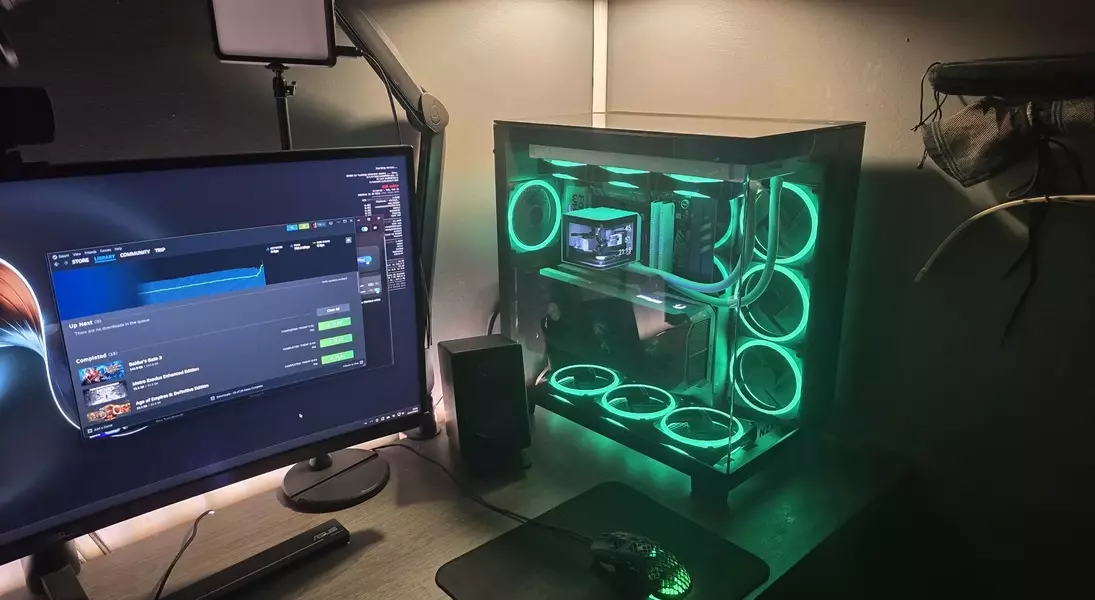
A recent Windows operating system update is reportedly causing disruptions in various multiplayer video games, leading to unresponsiveness and crashes for some users. Investigations by Microsoft and game developers point towards a specific system driver, inpoutx64.sys, which appears to conflict with the update and certain game titles. This issue has drawn attention to the widespread use of RGB lighting in gaming setups, as the driver in question is often associated with these illuminated peripherals and internal computer components. Users facing these problems are presented with a temporary workaround that involves modifying the Windows registry to disable the problematic driver, albeit with a caveat regarding potential loss of RGB lighting functionality.
The saga began with the release of Windows update KB5121003, which almost immediately triggered reports of multiplayer games becoming unstable or entirely unplayable. Titles such as Arc Raiders, Marvel Tōkon: Fighting Souls, and The Finals were among those most affected, much to the frustration of their player bases. Embark Studios, the developer behind some of these games, was quick to hypothesize that the inpoutx64.sys driver was at the root of the problem, offering initial guidance on how to temporarily mitigate the issue through the Command Prompt. This proactive approach by the developer proved to be insightful, as Microsoft later corroborated their findings.
Microsoft's official statement acknowledged the ongoing investigation into the matter, indicating that the core problem lies in the interaction between the KB5121003 update, specific games, and the inpoutx64.sys driver. While the exact mechanism of the conflict is still being fully deciphered, the prevailing theory suggests that devices and components featuring RGB lighting are a common denominator. These peripherals often install drivers or associated software with file names akin to inpoutx64.sys, which subsequently trigger the unresponsiveness when certain games are launched.
For affected users, Microsoft has outlined a more detailed method to disable the inpoutx64.sys driver using the Windows Registry Editor. This process involves navigating to a specific key within the registry (HKEY_LOCAL_MACHINE\SYSTEM\CurrentControlSet\Services\inpoutx64) and altering a value to effectively deactivate the driver. However, the company issues a stern warning about the inherent risks of modifying the registry, emphasizing the importance of backing up the system before making any changes to prevent potential system instability. Users must weigh the choice between uninterrupted gaming and maintaining their customized RGB lighting aesthetics, or opting to revert to an earlier Windows version until a definitive patch is released.
In conclusion, the latest Windows update has created an unexpected conundrum for PC gamers, particularly those who embrace the vibrant world of RGB-lit hardware. The temporary fix involves disabling a driver tied to these lighting features, highlighting a fascinating intersection between system software, gaming performance, and hardware aesthetics. As Microsoft continues to investigate, gamers are left to choose between their passion for gaming and their preference for visually dynamic setups, or to await a more permanent resolution.