Discover the array of exclusive cosmetic enhancements available in Splatoon Raiders through the strategic use of amiibo figures. This comprehensive guide navigates players through the unique unlockables tied to specific amiibo, ensuring you don't miss out on any stylish in-game attire.
Elevate Your Style: Your Guide to Splatoon Raiders amiibo Rewards
Exploring the Unique Unlocks from Deep Cut amiibo in Splatoon Raiders
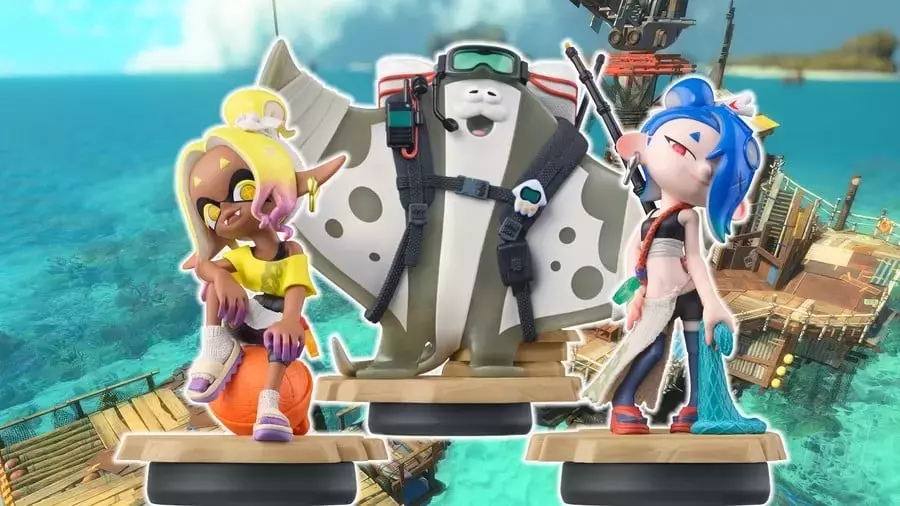
Nintendo continues to captivate its audience with amiibo integrations, and Splatoon Raiders is no exception. Players can now access a variety of distinctive outfits by scanning their amiibo collection. This article delves into the specific cosmetic items each amiibo bestows, particularly highlighting the new Deep Cut figures.
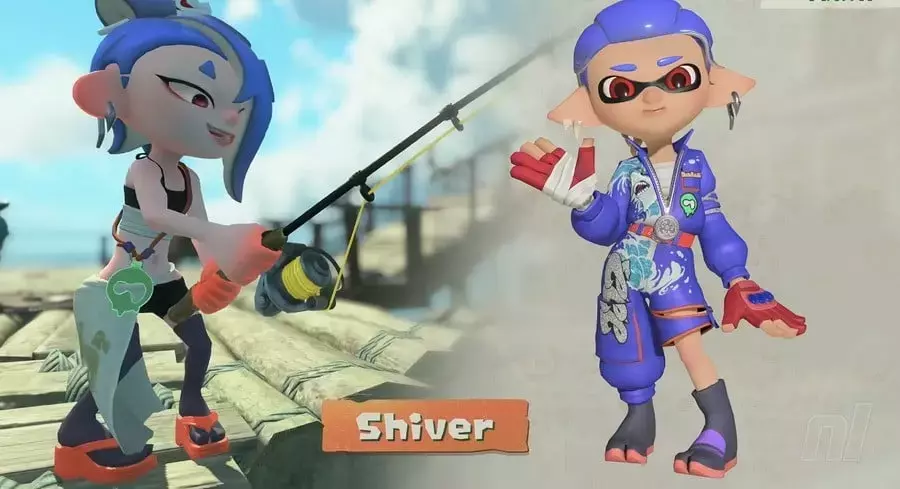
Unveiling Shiver's Exclusive Attire in Splatoon Raiders
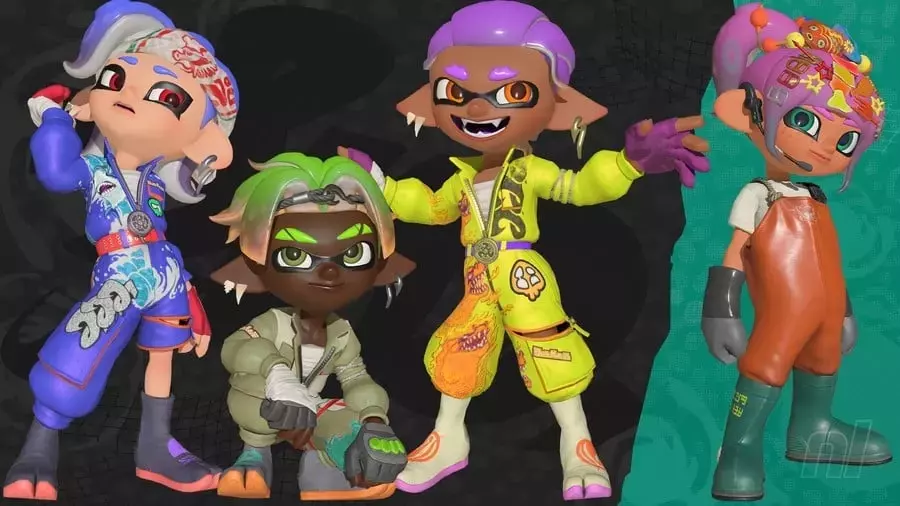
By interacting with the Shiver Splatoon Raiders amiibo, players gain access to a unique in-game costume. This special ensemble, inspired by Deep Cut's shark-themed member, features blue overalls that are unattainable through standard gameplay. It's important to note that this unlockable, like others, provides no inherent ability enhancements.
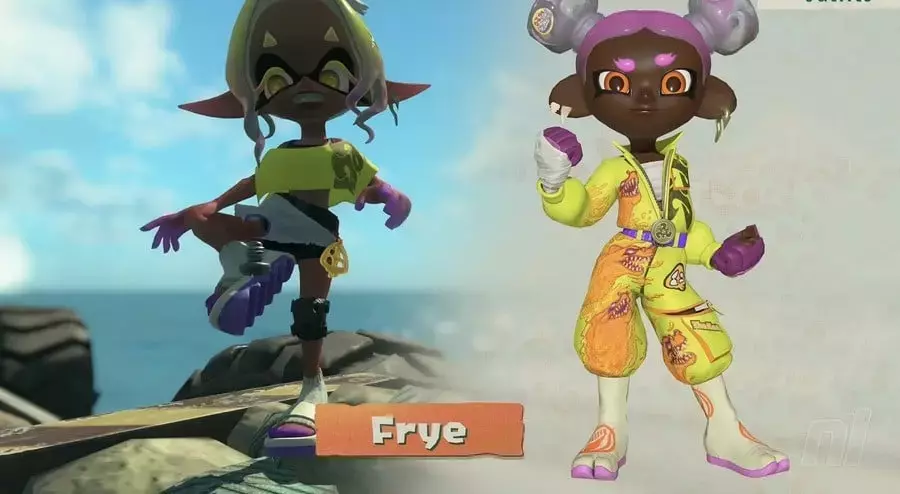
Discovering Frye's Distinctive Look in Splatoon Raiders
Scanning the Frye Splatoon Raiders amiibo rewards players with another exclusive outfit, designed with Frye's signature yellow color palette. This particular attire cannot be acquired through any other means within the game. Thankfully, these aesthetic additions are purely cosmetic, ensuring no player is at a gameplay disadvantage by not possessing the amiibo.
Accessing Big Man's Themed Wardrobe in Splatoon Raiders
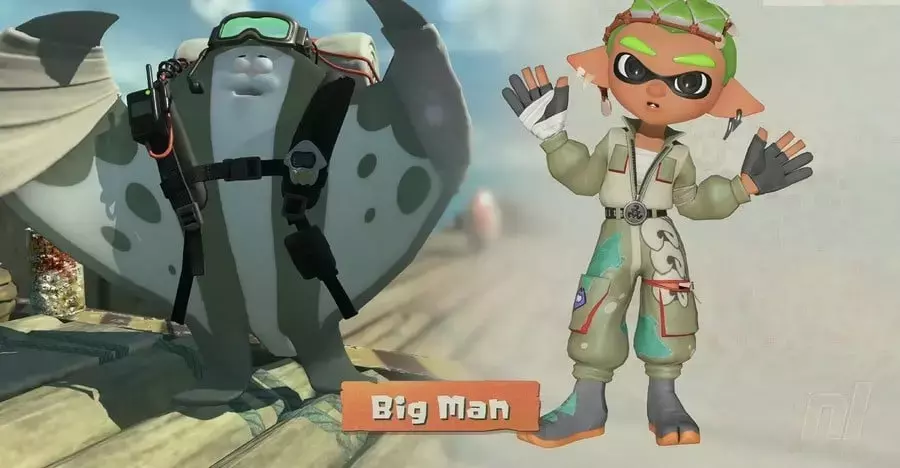
The Big Man amiibo, the final piece in the Splatoon Raiders collection, also offers an exclusive outfit. This set, mirroring the manta ray's grey and green hues, is similarly an amiibo-only reward. As with the other Deep Cut figures, this garment is solely for visual customization and does not confer any special abilities.
Broadening Your Collection with Splatoon Series amiibo
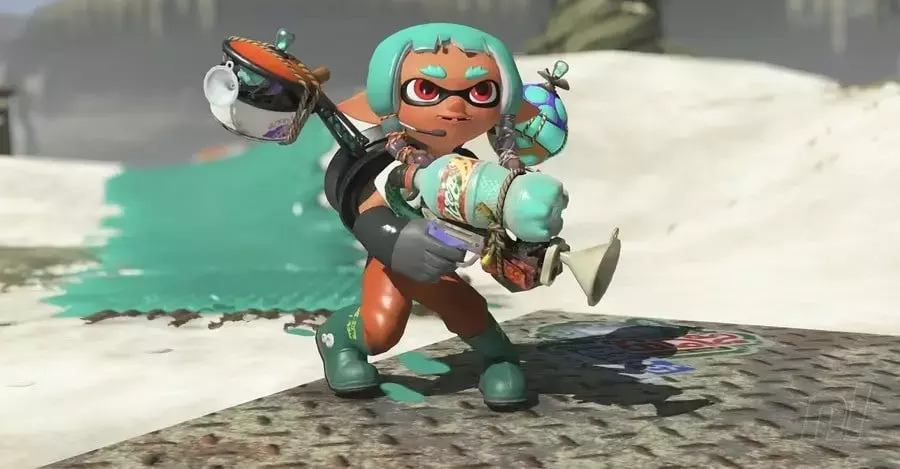
Beyond the specific Raiders figures, scanning any other amiibo from the broader Splatoon series (excluding the aforementioned Deep Cut models) will unlock the 'Bite Waders' outfit. These orange waders are another amiibo-exclusive item, necessitating a compatible scan for acquisition.
Understanding amiibo Compatibility: What Else Can You Scan?
It's important to recognize that not all amiibo are compatible with Splatoon Raiders. Attempting to scan a non-compatible amiibo will result in an in-game message indicating its incompatibility. Only Splatoon-specific amiibo will yield rewards in this title.
A Step-by-Step Guide to Scanning amiibo in Splatoon Raiders
To integrate your amiibo with Splatoon Raiders, navigate to the Hideout ship and press the '+' button to open your gear menu. Proceed to the 'Style' tab and press 'R' three times to reveal the 'amiibo' option. From there, select 'Scan' and gently touch your Splatoon series amiibo to the NFC touchpoint, typically located on the right Joy-Con's 2 stick or the center of your Pro Controller. Once scanned, your newly acquired outfits will automatically appear in your in-game wardrobe, accessible via the 'Outfit' section of the Style menu.