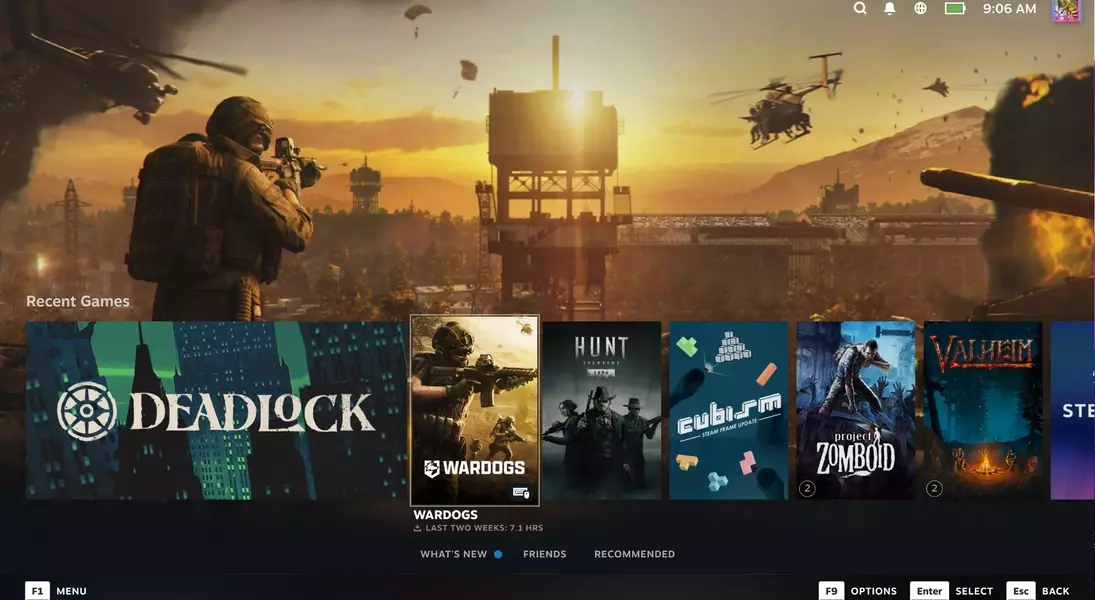
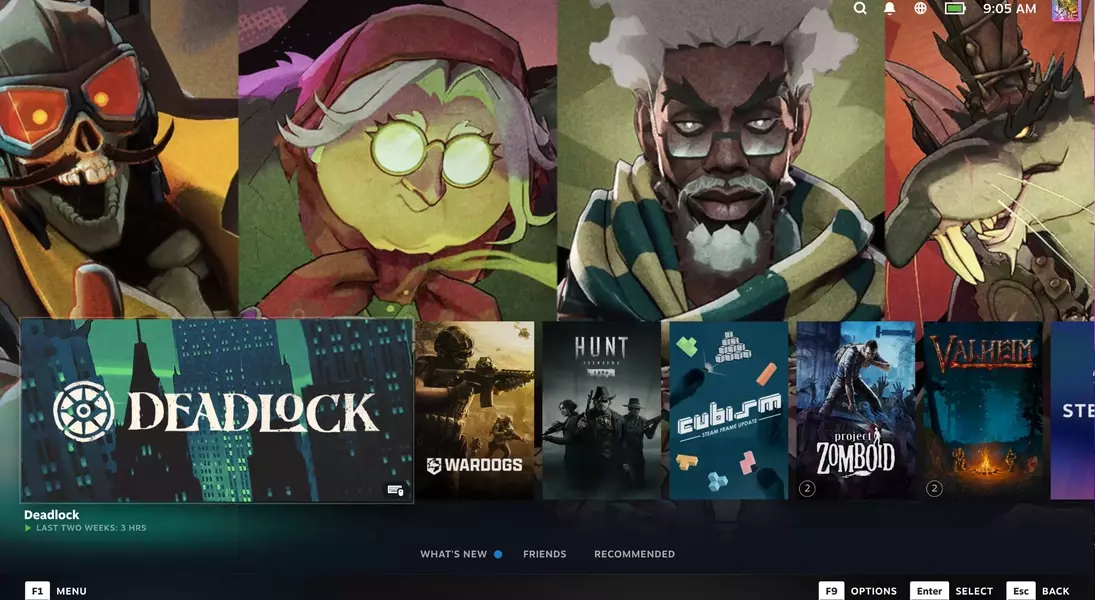

Valve has rolled out a substantial visual update to Steam's Big Picture Mode, now known as Big Art Mode. This enhancement is designed to transform the living room gaming experience, making it more visually appealing and immersive. The update integrates full-size game key art into the interface, moving away from a cluttered display to a more streamlined and artistic presentation. This change is particularly beneficial for those who use their PC gaming setup with large screen televisions, as it significantly improves the aesthetic quality of the user interface.
This new feature is now accessible with the latest Steam client release, marking its transition from a beta phase to general availability. Users can activate Big Art Mode by navigating to the Settings menu within Big Picture Mode and selecting the 'Home' option. This update also aligns with improvements made to the Steam Deck, further unifying the user experience across different platforms. The emphasis on large, striking game visuals creates a more engaging and less distracting environment, perfectly suited for a casual gaming session from the comfort of a living room couch.
Enhanced Visuals for an Immersive Gaming Experience
Steam's recent update introduces Big Art Mode, a significant visual upgrade for Big Picture Mode users. This new feature prioritizes displaying expansive, high-resolution key art for games, transforming the user interface into a more gallery-like experience. This shift moves beyond traditional, icon-based displays to create a captivating backdrop that highlights the artistic elements of each game. The result is a cleaner, more engaging visual presentation that enhances the overall atmosphere of a living room gaming setup, especially when viewed on larger displays like modern OLED televisions. It fosters a more relaxed and immersive gaming environment, allowing players to fully appreciate the visual aesthetics of their game library.
The transition from the beta phase to official release for Big Art Mode brings these refined visuals to all Steam users. Activating this feature is straightforward: simply access the Settings within Big Picture Mode and locate the 'Home' section to enable Big Art Mode. This update is part of a broader effort by Valve to improve the user interface across its platforms, including the Steam Deck, ensuring a consistent and high-quality visual experience. For those who connect their gaming PCs to their living room televisions and utilize a controller for navigation, Big Art Mode represents a substantial improvement, offering a sleek, art-focused interface that minimizes visual clutter and maximizes aesthetic appeal, making game selection a more visually pleasing process.
Seamless Integration for Relaxed Living Room Gaming
The introduction of Steam's Big Art Mode significantly improves the living room gaming experience by providing a visually rich and intuitive interface. This mode integrates large, full-size game art directly into the background, creating a more cinematic and less utilitarian display. It's an ideal enhancement for users who prefer to game on a large screen from the comfort of their couch, allowing them to browse their game library with an enhanced sense of atmosphere and immersion. The design philosophy behind Big Art Mode focuses on making the game selection process as visually appealing and user-friendly as possible, aligning with the relaxed nature of living room entertainment setups.
Big Art Mode is now widely available as part of the latest Steam client update, marking a stable release after its beta period. Users can easily activate this feature by navigating through the Big Picture Mode settings. This update is particularly impactful for those with dedicated living room mini PCs, as it provides a streamlined, controller-friendly interface that feels native to a home entertainment system. The emphasis on high-quality game visuals, rather than dense textual information, makes for a more appealing and less strenuous viewing experience on large displays. This thoughtful redesign makes the Steam interface feel more at home on an OLED TV, providing a polished and engaging visual environment that complements a relaxed gaming session without the need for traditional keyboard and mouse input.