Nintendo's unique approach to game management, particularly with the Switch and its virtual card system, can often lead to user frustration. The complexity of transferring games between multiple consoles, especially when a virtual game is linked to an inaccessible device, is a frequently encountered problem. However, there's a practical and efficient solution that bypasses the need for physical console retrieval.
Instead of wrestling with physical consoles or virtual card limitations, a simpler method involves managing your registered devices directly through your Nintendo account online. This guide aims to demystify the process, offering a direct path to ensuring your favorite games are always available on the console you're currently using, free from the hassles of misplaced or inactive devices.
Streamlining Nintendo Switch Game Access
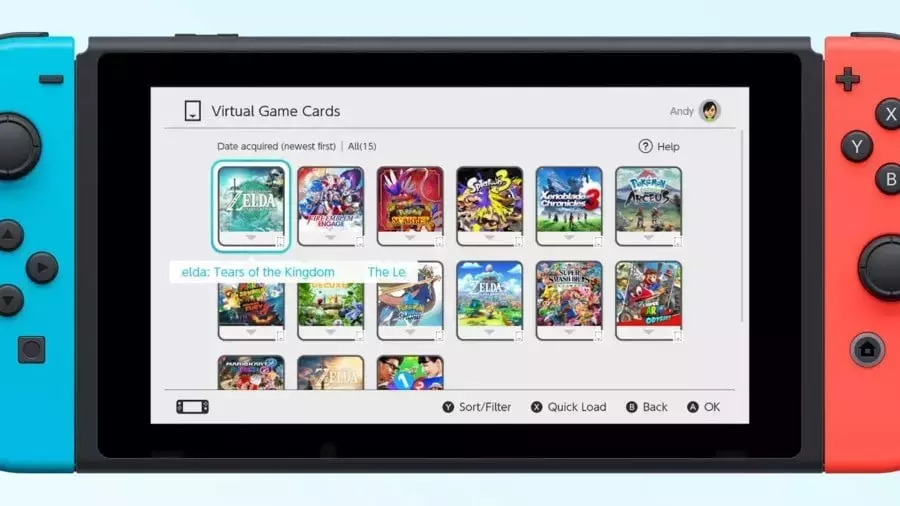
Nintendo Switch owners frequently encounter hurdles when attempting to transfer virtual game cards between different consoles. This common issue often arises when a game is tied to a console that is no longer in use or is physically inaccessible, leading to frustration and preventing players from enjoying their purchased titles on their current device. The traditional method of transferring games, which sometimes requires interacting with the original console, can be impractical for many users.
The root of this inconvenience lies in Nintendo's distinct system for managing digital game licenses. While designed to prevent unauthorized sharing, it inadvertently creates obstacles for legitimate users with multiple Switch consoles. Players find themselves in a bind when their primary console cannot access a game because its virtual card is still registered to a secondary or old device, prompting a search for an easier way to manage their game library across all their devices.
Simplified Deregistration for Seamless Gaming
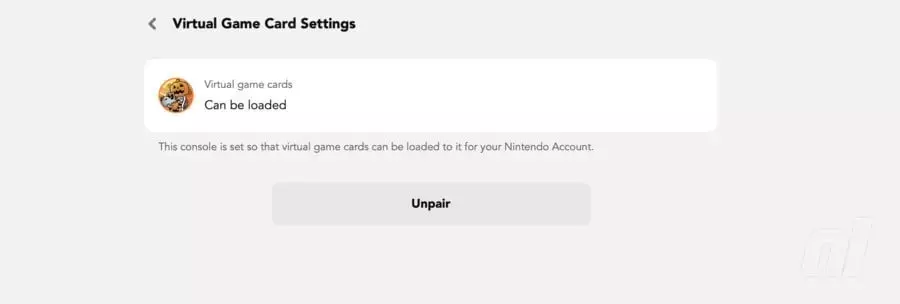
Fortunately, a straightforward solution exists for those grappling with game transfer issues on the Nintendo Switch. Instead of the cumbersome process of locating an old or unused console to facilitate a game transfer, users can leverage their online Nintendo account to manage device registrations remotely. This method involves logging into the official Nintendo website, navigating to the account settings, and identifying all currently registered Switch consoles.
Within the account portal, users can access the "Consoles" section to view and manage their linked devices. The key step is to select the inactive or inaccessible Switch console and proceed with deregistering it from the virtual card system. This action effectively frees up the virtual game card, allowing it to be used on another active console without any physical interaction with the old device. This digital approach to device management saves time and effort, ensuring that players can quickly and easily get back to their gaming experience without unnecessary delays or frustrations, thereby enhancing overall user satisfaction with their Nintendo Switch ecosystem.
