


The latest iteration of Apple's mobile operating system, iOS 26, marks a substantial evolution, moving beyond simple numerical increments to represent a significant leap in user experience. This update introduces a fresh design language and a host of innovative functionalities, solidifying its place as one of the most impactful iOS releases in recent memory. Having explored its beta version extensively since late June, the transformative nature of these features is evident.
Unveiling iOS 26: A Closer Look at its Groundbreaking Innovations
At the heart of iOS 26 lies a profound shift in design and functionality, beginning with the innovative 'Liquid Glass' aesthetic that permeates the entire software ecosystem. This new visual identity is not merely cosmetic; it underpins a series of thoughtful redesigns across native applications, most notably within the Phone app.
The reimagined Phone application now boasts a more intuitive and decluttered interface. The traditional tab bar at the bottom has been ingeniously condensed into a sleek, pill-shaped module, offering access to just three essential categories: Calls, Contacts, and Keypad. Critically, functionalities like voicemails and favorite contacts are now seamlessly integrated within the 'Calls' tab, providing a more cohesive experience. Users can effortlessly filter calls to isolate voicemails, enhancing navigation and reducing screen clutter. For those who prefer the classic layout, a simple toggle allows for a return to the older, more separated view.
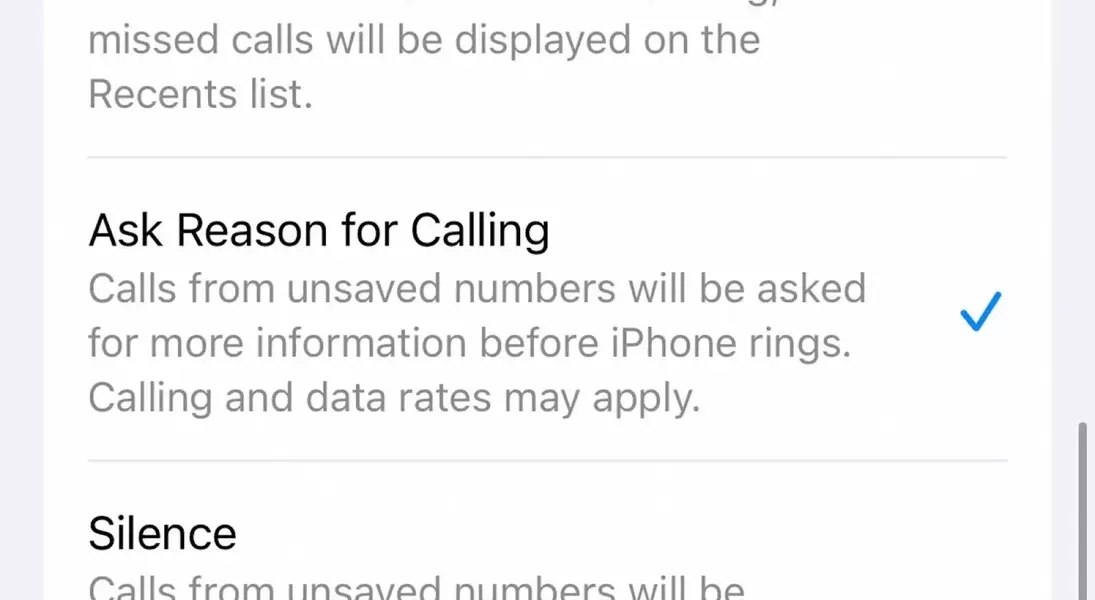
Combatting the persistent issue of unwanted calls, iOS 26 introduces an intelligent call screening system. Accessible through the Phone settings under the 'Apps' menu, this feature offers robust control over incoming calls from unknown numbers. Users can choose from three distinct options: 'Never screen,' which maintains the traditional ringing for all calls; 'Ask Reason for Calling,' an intelligent prompt that requests callers to state their purpose, with a transcribed summary provided to the user before answering; and 'Silence,' which directs unknown calls straight to voicemail, ensuring minimal disruption. This empowers users with unprecedented control over their call privacy and experience.
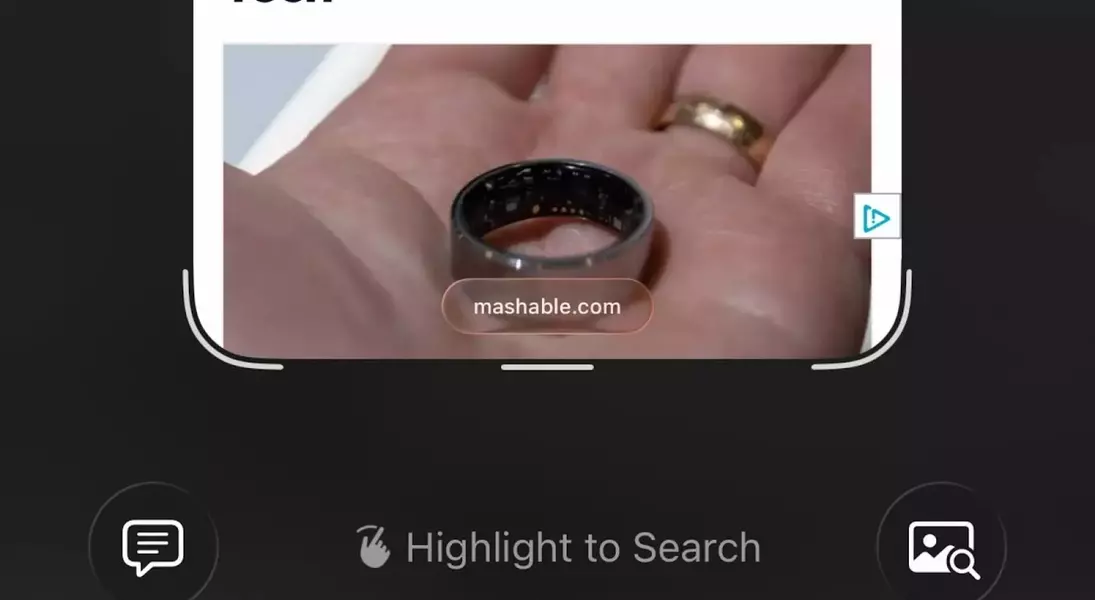
Further enhancing its intelligence, Apple Intelligence in iOS 26 demonstrates considerable advancements in its Visual Intelligence capabilities. This enhanced feature allows the system to interact more dynamically with the user's environment through the iPhone's camera, facilitating tasks like instant text translation. A groundbreaking addition is the integration of Apple Intelligence with screenshots, enabling users to leverage AI for deeper understanding of on-screen content. After capturing a screenshot, new 'Ask' and 'Search' buttons appear, mirroring those found in the regular Visual Intelligence interface, providing immediate analytical tools for the captured image.
A visually striking innovation comes with 'Spatial Scenes' on the lock screen. This feature utilizes artificial intelligence to imbue standard 2D photographs with a captivating sense of depth. By intelligently segmenting objects and creating layers within images, and subsequently filling in missing details with AI, Spatial Scenes transforms static photos into dynamic, tilt-responsive visuals. This effect, which can be applied to many photos directly from the Photos app, truly comes alive when set as a lock screen background. Users can activate this by long-pressing their lock screen and selecting the new hexagonal button to generate and preview the Spatial Scene effect in real-time, offering a personalized and interactive visual experience.
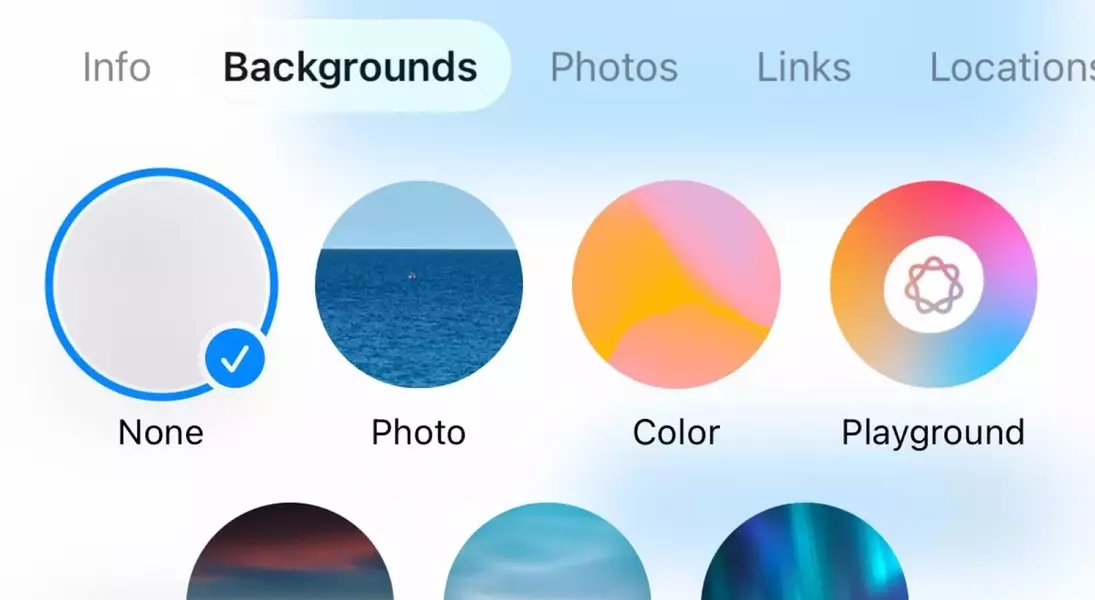
The messaging experience also receives a touch of personalization with new background customization options in iMessage. Users can now adorn their chat interfaces with personal photos, solid colors, or a selection of preset atmospheric images such as skies or water. While a subtle change, it allows for greater personalization of chat environments. These backgrounds are visible to all participants in a chat who are running iOS 26 or a newer version of the operating system.
Safari, Apple's native web browser, undergoes a significant aesthetic and functional overhaul, embracing a more minimalist 'Liquid Glass' design. Upon launching Safari, the familiar navigation controls like forward/back buttons and the URL bar are presented as elegant, hovering bubbles, promoting a less cluttered view. As users scroll down a webpage, these controls gracefully recede into a compact representation of the URL bar, maximizing screen real estate for content. While this design choice prioritizes immersion, it also subtly alters the accessibility of controls, requiring a slight scroll up or tap on the minimized URL bar to reactivate them. However, for many, this design fosters a more focused browsing experience.
Finally, a remarkable communication innovation arrives with Live Translation for phone calls. This feature enables real-time, two-way language conversion during calls. An AI-powered voice translates the other party's speech into the user's language, with a simultaneous on-screen text display. Conversely, the user's spoken words are translated and delivered to the other caller, overcoming language barriers seamlessly. Notably, this entire translation process occurs locally on the user's iPhone, meaning the other party can use any phone. Initially supporting English, French, German, Portuguese, and Spanish, this feature promises to expand its linguistic repertoire in future updates, revolutionizing cross-cultural communication.
From a journalist's perspective, the release of iOS 26 signifies Apple's unwavering commitment to refining the user experience through innovative design and intelligent functionalities. The 'Liquid Glass' design ethos, coupled with practical enhancements like advanced call screening and a streamlined Phone app, demonstrates a keen understanding of everyday user needs. However, the most compelling advancements lie in the realm of artificial intelligence. The improved Visual Intelligence, particularly its integration with screenshots, transforms passive image viewing into an interactive, analytical process. The 'Spatial Scenes' on the lock screen are a delightful blend of aesthetics and technology, offering a dynamic and personalized visual flair. Yet, the Live Translation feature stands out as a true game-changer. It’s a powerful testament to how technology can bridge fundamental human divides, fostering communication in an increasingly globalized world. While the initial language support is limited, its on-device processing capability is a significant technical achievement, hinting at a future where language barriers in real-time communication become a relic of the past. As a user, I am particularly excited about the potential for richer, more meaningful interactions that these innovations enable, especially the ability to seamlessly converse across languages, a feature that could profoundly impact personal and professional connectivity. This update reinforces Apple’s position at the forefront of mobile innovation, continuously pushing the boundaries of what a smartphone can achieve.
