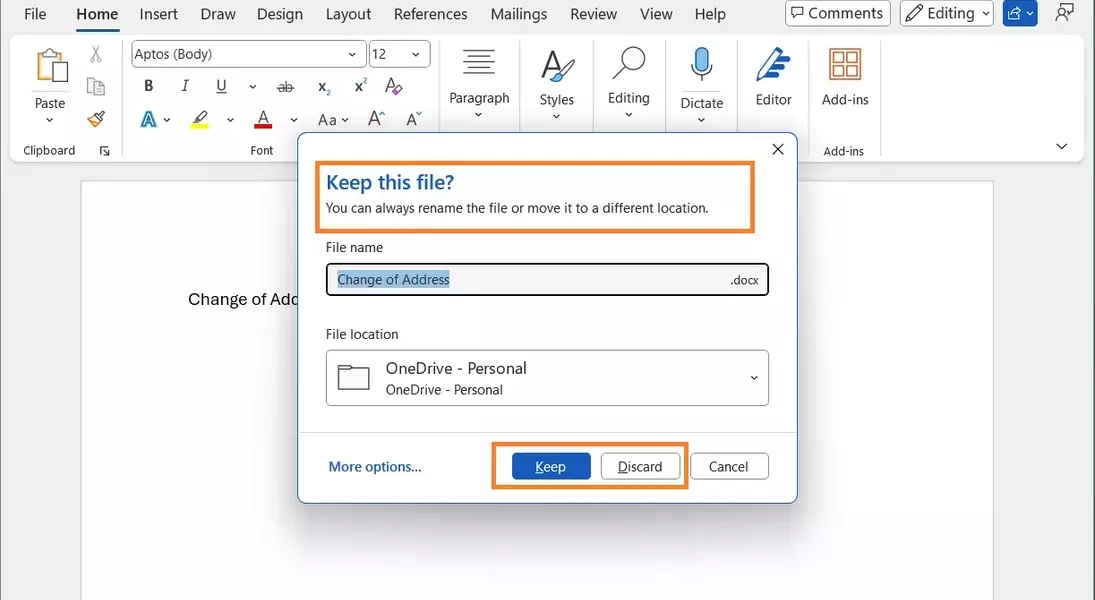
Microsoft is implementing a major change in its Word application for Windows, making cloud storage the default for newly created documents. This strategic shift is designed to enhance user convenience by ensuring immediate data backup and universal accessibility, a move that is currently being evaluated by Microsoft 365 Insiders.
Embrace the Future of Document Management: Cloud-First, Worry-Free Creation!
Seamless Cloud Integration: A New Era for Document Creation in Word
Microsoft is revolutionizing how documents are handled in Word for Windows, with new files now automatically directed to cloud storage. This update liberates users from the manual saving process, providing peace of mind against accidental data loss and ensuring documents are perpetually secure and up-to-date in their preferred cloud environment, such as OneDrive.
Enhanced Accessibility Across Platforms: Your Documents, Everywhere You Are
The transition to automatic cloud saving means that documents created in Word will be instantly available across a multitude of devices. Whether you're using an Android phone, an iOS tablet, or accessing Word through a web browser, your work remains synchronized and accessible, fostering a more fluid and integrated work experience.
Simplified Naming Conventions and Customization Options
With this new system, documents will be assigned names based on their creation date, moving away from the previous numerical appending. Users will retain control over their storage preferences, with options to define default cloud locations or even revert to local saving, offering a balance between automation and personal choice.
Microsoft's Ongoing Cloud Strategy: A User Perspective
This initiative represents Microsoft's continued drive to encourage cloud adoption among its user base, following prior efforts like the AutoSave function and persistent OneDrive backup prompts. While some users express concerns about added steps to local file management and the increasing push towards cloud dependence, Microsoft emphasizes the benefits of enhanced data security and cross-device availability.
