For PC enthusiasts seeking greater control and customization within their Windows environment, Microsoft's PowerToys suite continues to evolve as an essential utility. While some might perceive a gradual reduction of native customization options in Windows, the reality is that such functionalities are now consolidated within this powerful software, regularly updated with new and improved features. The latest iteration brings particularly valuable enhancements for individuals managing multiple large displays.
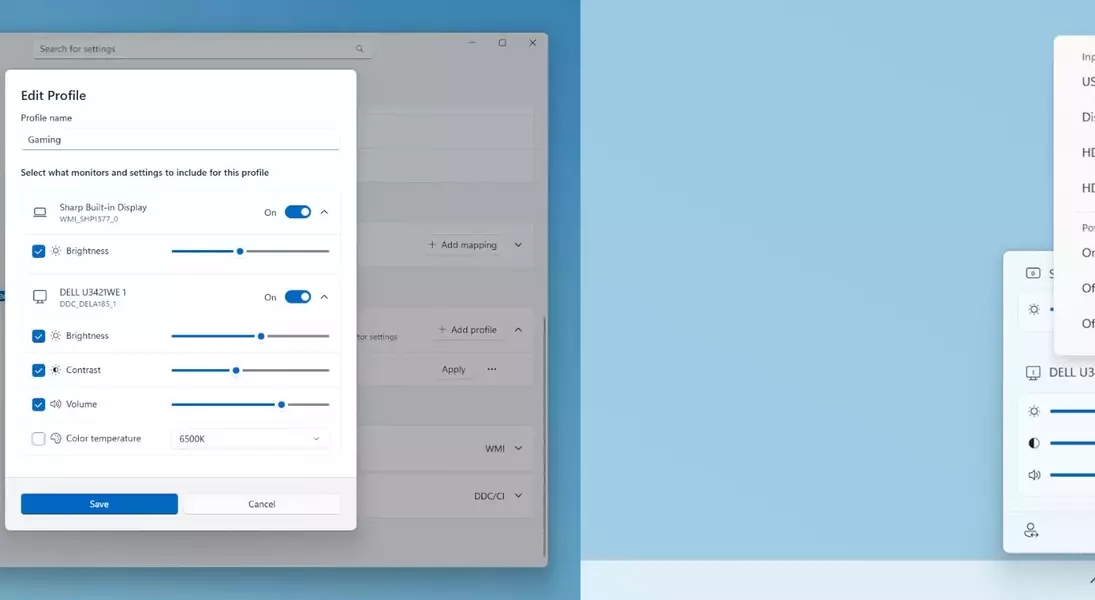
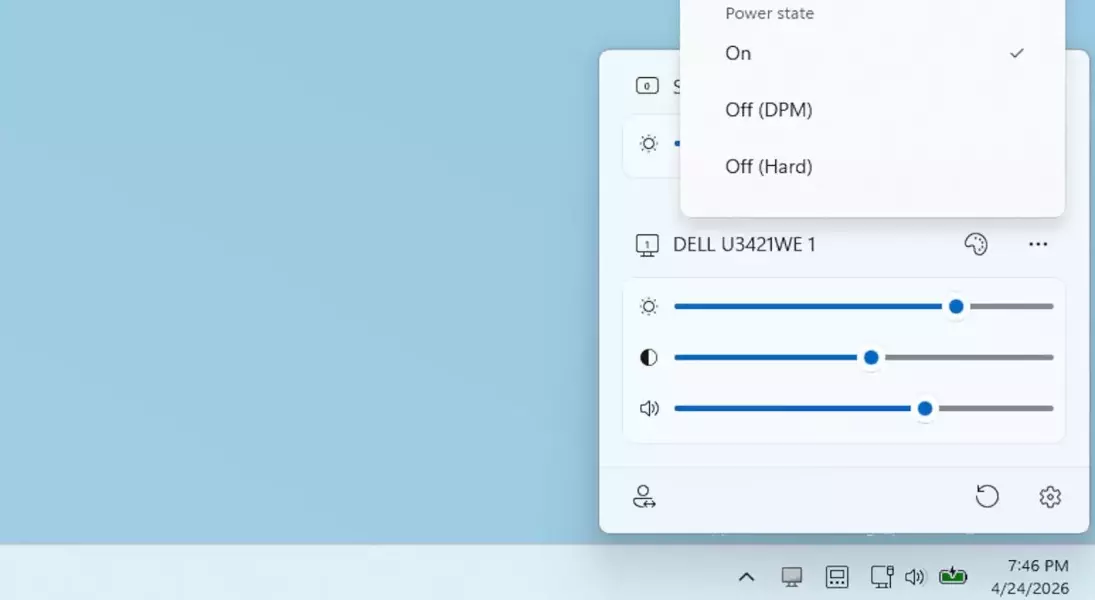
The recent update to PowerToys, specifically version 0.99.1 (building upon the features introduced in 0.99), includes two standout functionalities: "Grab and Move" and "Power Display." Grab and Move revolutionizes window interaction by allowing users to manipulate windows—moving or resizing them—without the need to actively select them. This means you can interact with a window even if it's partially obscured by others, offering a seamless workflow. While traditional Alt-Tab shortcuts remain an option, Grab and Move provides a more intuitive and efficient method for managing numerous windows across expansive monitor configurations. Moreover, the "Power Display" feature simplifies monitor management by integrating various controls directly onto the desktop. Initially offering basic adjustments like brightness and contrast, Power Display, after enabling certain options, can also manage input switching and even power states, eliminating the need to navigate through a monitor's on-screen display (OSD).
Furthermore, Power Display allows users to configure and rapidly switch between multiple monitor profiles. This is particularly useful for optimizing display settings for different tasks, such as dimming screens for work or brightening them for an immersive gaming session, all without the cumbersome process of manually adjusting each monitor. These additions, while perhaps not groundbreaking for users of alternative operating systems, significantly elevate the Windows user experience, demonstrating Microsoft's commitment to continually refining its ecosystem. PowerToys serves as a testament to the ongoing evolution of user-centric software design, providing practical solutions that enhance daily computing. It embodies the spirit of continuous improvement, proving that even well-established platforms can benefit from thoughtful, innovative tools that empower users.
