Discover how to unlock the cooperative potential of Splatoon Raiders, a title many believe is solely a single-player experience. This guide will walk you through the steps to connect with allies, highlighting the nuances of both online and local play, ensuring you can dive into chaotic raids with your squad.
Unleash Teamwork: Your Gateway to Co-op Raids!
Navigating the Social Realm: Initiating Multiplayer Sessions
While Splatoon Raiders is presented as a solitary journey, it secretly harbors robust multiplayer functionalities. The game, however, remains cryptic about how to access these social features. The method for teaming up with friends mirrors the system found in Splatoon 3, with one significant caveat: local wireless play does not support a shared screen experience.
Setting Up Your Squad: Local and Online Connectivity
To embark on a multiplayer adventure in Splatoon Raiders, players must understand the distinct requirements for local and online connections. This section will clarify the necessary steps to join forces with others, whether they are in the same room or across the globe, ensuring a seamless entry into cooperative gameplay.
The Hidden Hub: Locating the Multiplayer Console
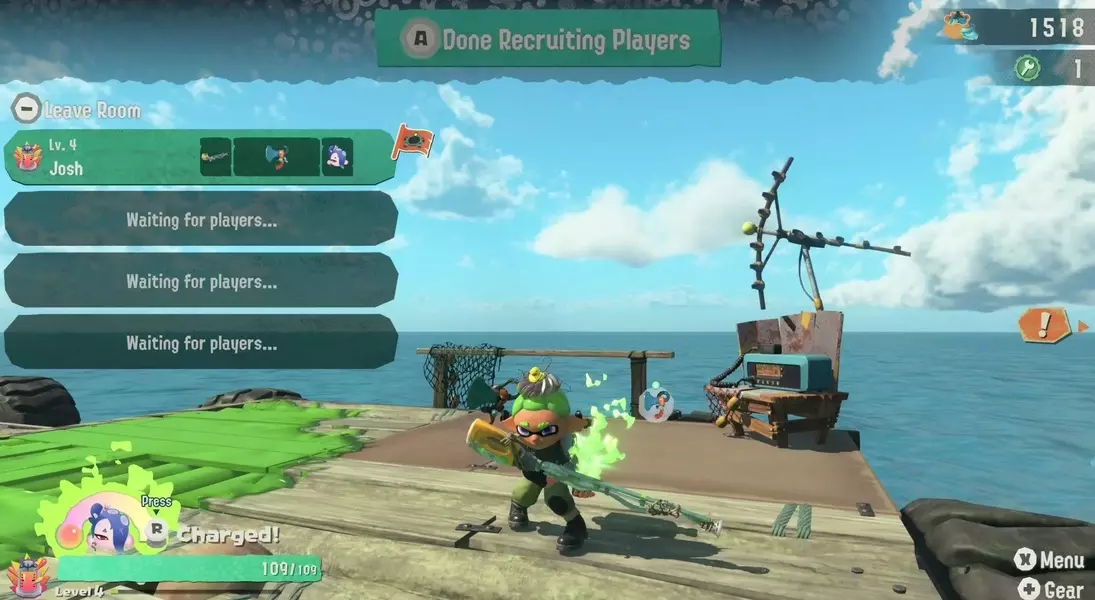
Upon completing the initial missions in Splatoon Raiders, players gain unrestricted access to their team's vessel. Within this ship, a crucial device, a radio, resides in a corner, opposite the treasure bot's resting spot. This unassuming radio serves as the primary interface for commencing any multiplayer engagement, despite the game offering no explicit guidance to its function.
Personalizing Your Presence: Customizing Your In-Game Identifier
Interacting with the radio for the first time prompts players to establish their unique in-game moniker. While the system automatically suggests the name linked to your Switch 2 console, you retain the freedom to alter it, provided the chosen name adheres to Nintendo's online community guidelines. This personalized identifier will represent you in all online interactions.
Understanding Connectivity Options: Online vs. Local Wireless
Post-nickname selection, players are presented with a choice between online wireless and local wireless play. It's imperative to note that 'local wireless' does not imply split-screen co-op. Splatoon Raiders mandates that each participant in local play possesses their own console and a copy of the game, fostering a truly individual yet collaborative experience.
Joining Forces: Establishing Lobbies and Inviting Companions
Opting for online wireless play unlocks several avenues for collaboration. You can readily join an existing lobby created by another player, extend invitations to friends from your console's friend roster, or establish your own private room. The latter option allows you to set a password, granting exclusive access to your chosen allies, thereby controlling who joins your team.
Dynamic Difficulty: Adapting to Group Expeditions
When engaging in group play, Splatoon Raiders intelligently recalibrates its difficulty. Players should anticipate an increased number of adversaries and a generally more intense and unpredictable environment during raids. This dynamic balancing ensures that cooperative sessions remain challenging and engaging, regardless of the team's size or composition.