


Apple's much-anticipated operating system, MacOS 26, codenamed Tahoe, has officially arrived, bringing with it a suite of innovative features and a refined user interface. This release, identified by its new year-based naming convention, represents a substantial leap forward for the Mac platform, aiming to integrate more seamlessly with Apple's other operating systems while enhancing overall utility and efficiency. The collective changes signify one of the most transformative updates to macOS in recent memory, promising a more intuitive and powerful computing experience for users.
Detailed Exploration of MacOS 26 Innovations
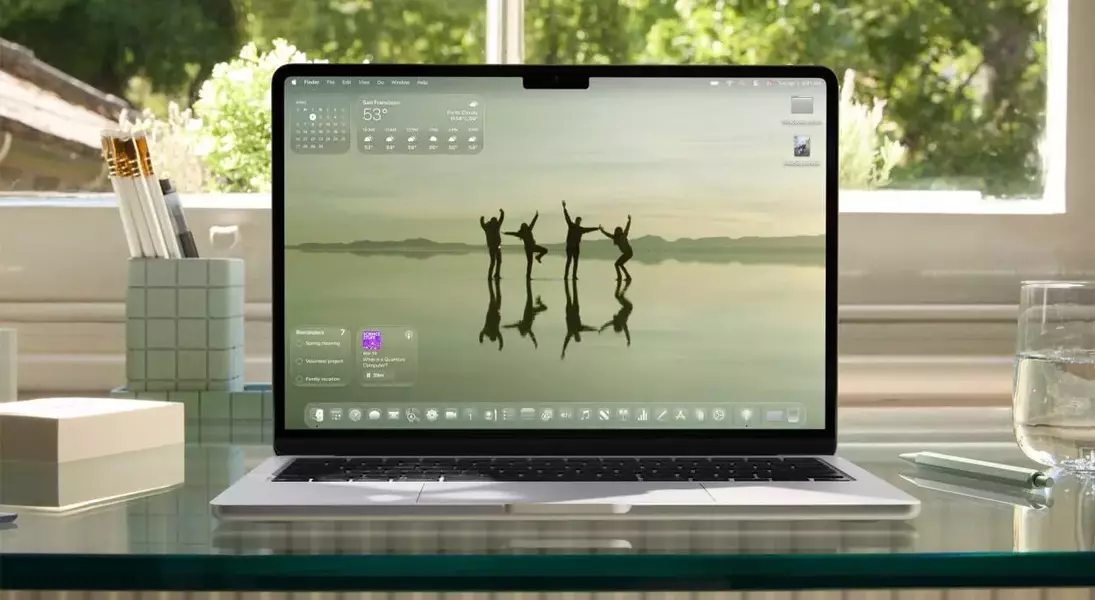
MacOS 26 introduces a fresh visual aesthetic known as Liquid Design, characterized by transparent, glass-like elements and layered interfaces. This design philosophy, consistent across Apple's software lineup, imbues macOS with a modern and cohesive appearance. Notable changes include more rounded window corners and layered sidebars in applications like Finder, contributing to a sleek and contemporary feel. While initial reactions to the new design may vary, users are likely to find it a quickly adaptable and aesthetically pleasing improvement.
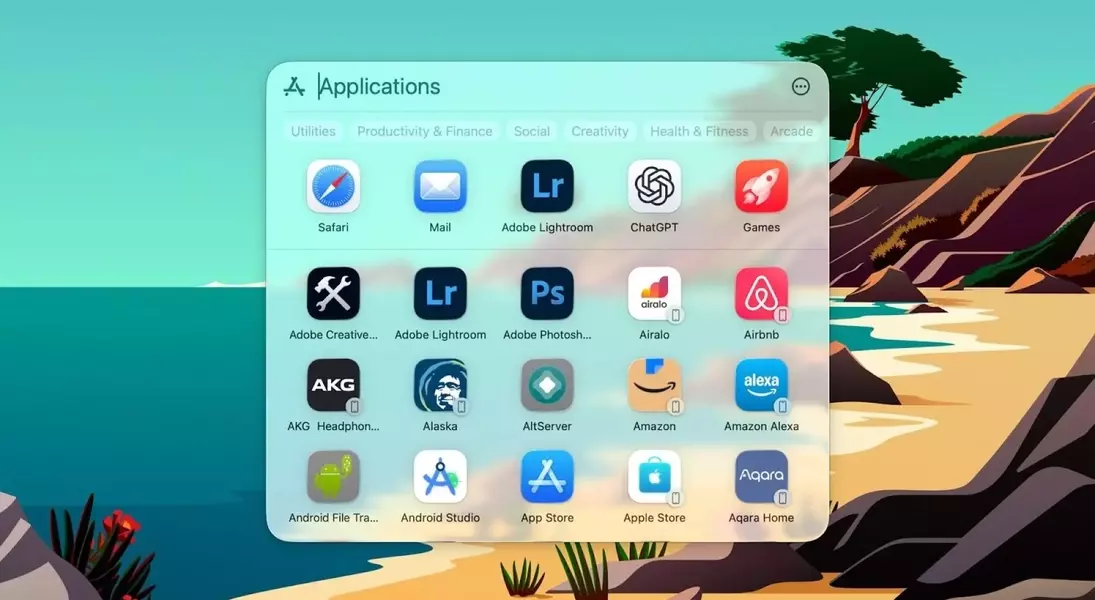
A significant overhaul has been applied to Spotlight, Apple's universal search utility. The updated Spotlight boasts expanded capabilities, allowing users to search across the entire operating system, encompassing individual files, folders, applications, and even messages. It now effectively replaces the App Library, streamlining app access. Furthermore, the enhanced Spotlight offers advanced filtering options and integrates app actions, leveraging Siri Shortcuts to enable users to control certain application functions without needing to open the apps directly. This transformation makes Spotlight an even more robust and versatile tool for daily tasks.
Addressing a long-standing user request, MacOS 26 includes a new dedicated Phone application. This app mirrors the functionality of its iPhone counterpart, enabling users to make calls to favorite contacts, dial numbers, and search contacts directly from their Mac, bypassing the need for FaceTime for basic call management. This addition significantly simplifies call handling for users who frequently transition between their iPhone and Mac.
The popular Live Activities feature, previously exclusive to iPhone, now extends to MacOS. These real-time updates are displayed in the Mac's menu bar, providing immediate access to information such as sports scores and ride-sharing progress. The data is seamlessly synchronized from a connected iPhone, and clicking on a Live Activity in the menu bar reveals expanded details, mirroring the interactive experience of the Dynamic Island on iOS.
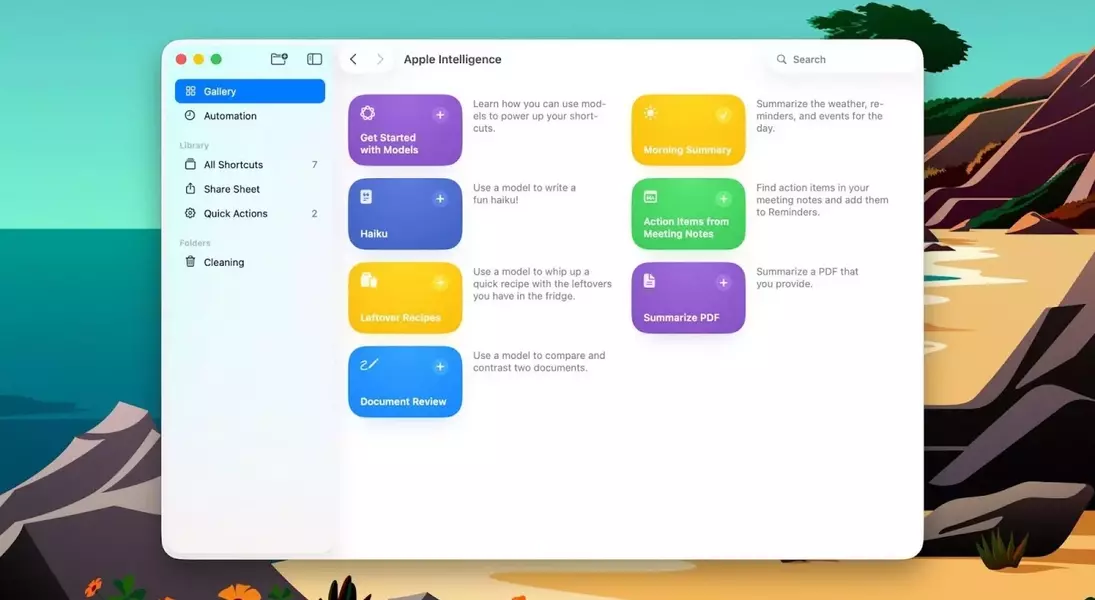
Shortcuts, Apple's powerful automation tool, receives an intelligent upgrade with the integration of Apple Intelligence. This AI-powered enhancement allows users to leverage machine learning capabilities for a variety of tasks, including text summarization and personalized daily summaries encompassing weather and calendar events. The ability to incorporate Apple Intelligence into Shortcut workflows offers advanced customization options, empowering users to create more sophisticated and efficient automated processes.
Finally, reflecting Apple's growing commitment to the gaming sector, MacOS 26 introduces a new Games application. This well-designed launcher facilitates easy access to recently played titles and provides recommendations for new games based on user preferences. As more high-quality AAA games are being ported to Apple devices, this dedicated gaming hub is poised to become an invaluable resource, especially with the continued advancements in graphics performance offered by Apple Silicon.
The introduction of MacOS 26 Tahoe signifies Apple's ongoing commitment to refining its desktop operating system, fostering a more interconnected and intelligent digital environment. The enhancements, ranging from design fluidity to advanced AI integrations, underscore a clear vision for a more unified and powerful Apple ecosystem. This update not only streamlines existing functionalities but also paves the way for future innovations, promising an even richer and more efficient user experience for Mac enthusiasts worldwide.
