

This report details how users can modify their settings on X, previously known as Twitter, to prevent videos from automatically playing in their feeds. This adjustment can significantly improve the user experience by reducing exposure to unsolicited or potentially distressing visual content. While it won't eliminate all videos from the platform, it offers a crucial step in curating one's online interactions.
Detailed Guide to Disabling Autoplay on X
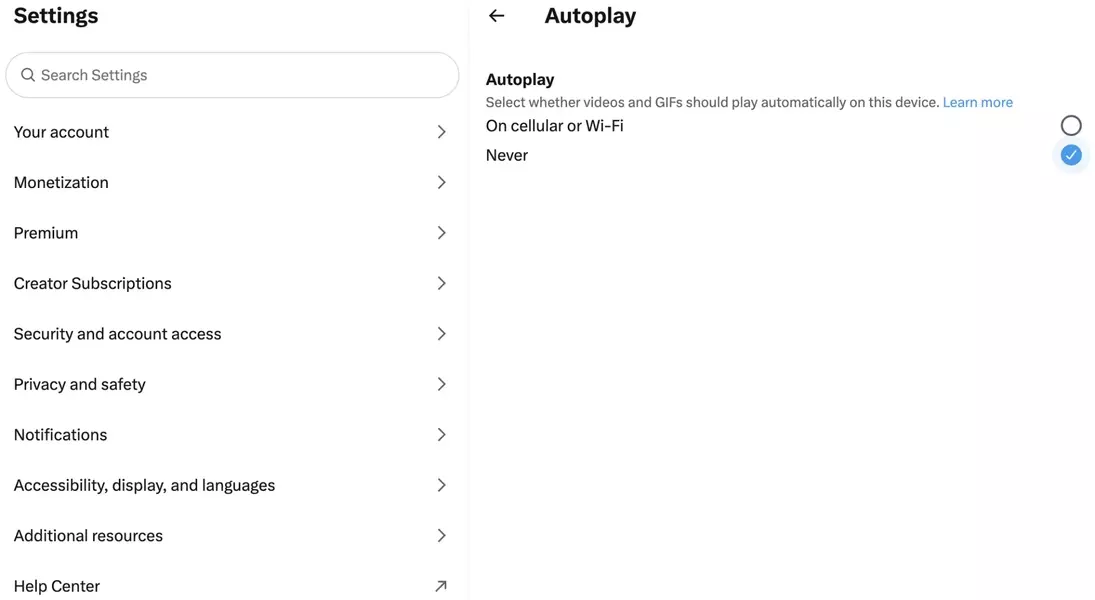
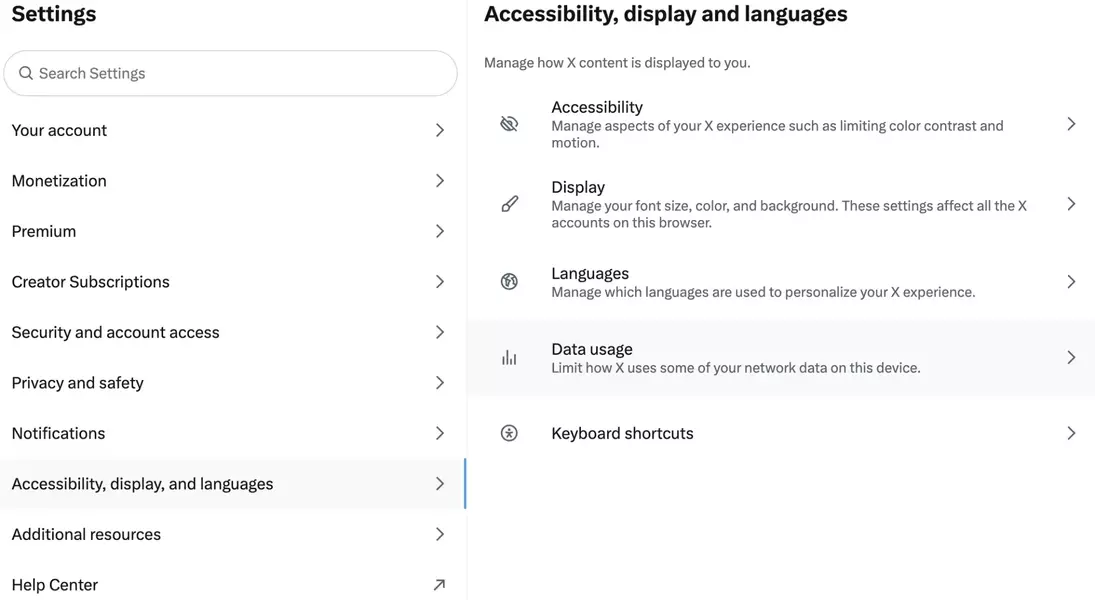
For users on X, whether accessing via desktop or a mobile device, controlling video autoplay is a straightforward process taking approximately one minute. The journey begins by heading into the 'Settings and privacy' menu, typically found under the 'More' option for desktop users. From there, navigate to 'Accessibility, display and languages,' and then select 'Data Usage.' Within the 'Data Usage' section, you will find the 'Autoplay' option. By choosing 'Never,' all videos in your feed will cease to play automatically. This quick configuration empowers users to regain control over their content consumption, particularly useful during times when sensitive news or trending topics might lead to unexpected and potentially disturbing video content appearing without warning.
This feature is a valuable tool for anyone seeking a more controlled and less intrusive social media experience. By preventing videos from automatically playing, users can proactively manage their exposure to content, fostering a safer and more comfortable online environment. It underscores the importance of personalized settings in modern digital platforms, allowing individuals to tailor their interaction with content to their preferences and comfort levels.
