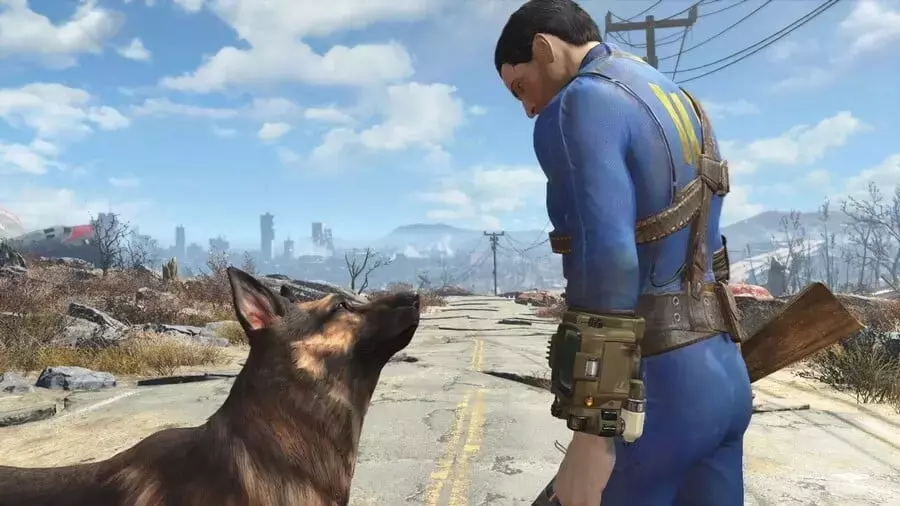
Bethesda has rolled out a crucial update for Fallout 4: Anniversary Edition on the Nintendo Switch 2, incorporating NVIDIA DLSS technology to enhance both visual fidelity and frame rates. This extensive patch not only integrates advanced rendering capabilities but also tackles a wide array of technical challenges that have impacted the game's performance since its release. Players can now expect a more stable and graphically refined journey through the Wasteland, thanks to comprehensive improvements spanning system stability, visual consistency, and user interface responsiveness.
The update marks a significant step forward for the game on the Switch 2 platform, delivering on Bethesda's earlier promise to address critical performance aspects. With DLSS now available, the game benefits from intelligent upscaling, providing sharper images and more fluid gameplay, particularly in demanding scenarios. Beyond the graphical uplift, the patch meticulously resolves various bugs and glitches, ensuring a more seamless and enjoyable experience for adventurers exploring the post-apocalyptic world.
Enhanced Performance and Visual Fidelity for Fallout 4 on Switch 2
Bethesda's latest update for Fallout 4: Anniversary Edition on Switch 2 introduces NVIDIA DLSS support, a significant enhancement for both 40fps and 60fps gameplay modes. This integration was a promised feature, arriving approximately one month after the game's launch, and aims to deliver improved image quality and overall performance. The update focuses on addressing core technical issues, ensuring a more stable and visually consistent experience for players. This includes fixes for frequent crashes, optimizing memory handling to prevent long-session instability, and resolving various visual glitches such as environmental flickering, inconsistent lighting, and missing graphical effects like bullet holes and water puddles. Furthermore, the update tackles UI-related problems, ensuring text clarity during gameplay and enhancing menu responsiveness.
The inclusion of DLSS is a game-changer for Fallout 4 on the Switch 2, as it leverages AI to upscale lower-resolution images to higher resolutions, resulting in sharper visuals and smoother frame rates without demanding excessive computational power. This technology is particularly beneficial for the Switch 2, allowing it to render the expansive world of Fallout 4 with greater detail and fluidity. Beyond the graphical improvements, the update meticulously addresses several stability concerns, including crashes that occurred during saving, loading, or during system docking/undocking. It also rectifies issues with menu navigation, button prompts, and how HUD elements interact with opacity settings. These comprehensive changes significantly elevate the technical foundation of the game, providing a more immersive and less frustrating experience for players traversing the post-nuclear landscape.
Comprehensive Stability and User Experience Enhancements
The recent Fallout 4 update for Switch 2 extends beyond graphical improvements, focusing heavily on bolstering the game's overall stability and refining the user experience. Key areas of improvement include robust crash prevention measures, better memory management, and significant fixes to the user interface. Crashes that previously plagued normal gameplay, save operations, and specific main quest moments have been mitigated, ensuring a more dependable gaming session. Memory handling has been optimized to prevent instability during extended play, and visual issues such as environmental flickering and missing textures have been corrected. The update also fine-tunes UI elements, resolving missing button prompts in trade menus, addressing incorrect HUD opacity, and improving text and icon displays across different languages.
Moreover, the patch introduces critical improvements to save and load functionalities, controller input, and localization. Players will now experience more reliable save file updates, proper display of location names, and consistent creation of "exit saves." The load menu, which occasionally became inaccessible, has been stabilized, and approaching the save limit is now less prone to issues. Controller handling has been refined, ensuring seamless transitions between different input devices and proper input restoration after re-sync dialogs. For international players, the update fixes missing characters in crafting menus for Japanese and Traditional Chinese, enhances font handling, and expands system keyboard support for naming characters and items. Finally, quest-related issues, such as unresponsive NPCs and inconsistent environmental triggers, have been addressed, culminating in a more polished and enjoyable adventure for all players.
