Congratulations on your new Nintendo Switch 2! This powerful console offers an ever-expanding universe of games, including nearly all titles from its predecessor. To help you embark on your gaming adventure, we've crafted a comprehensive guide detailing the initial essential steps, ensuring you maximize your experience from the very start.
Your First Steps with the Nintendo Switch 2: A Detailed Guide
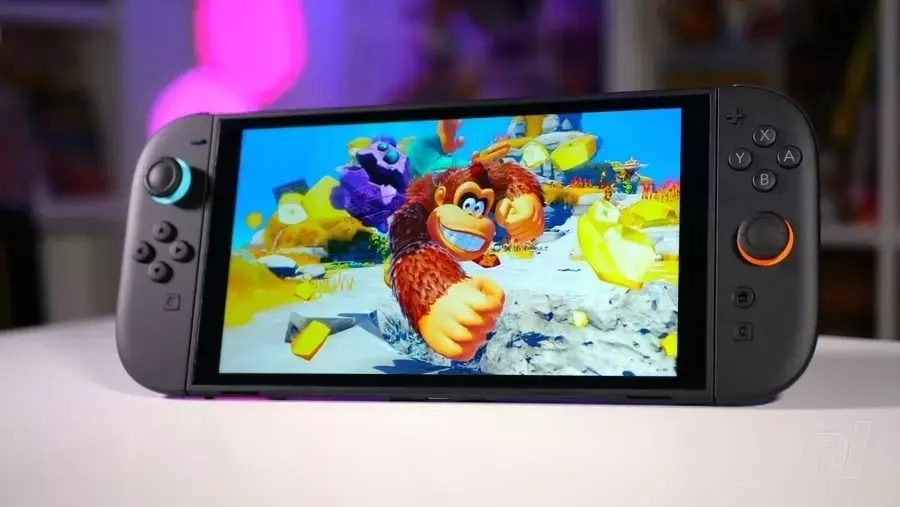
Upon unboxing your new Nintendo Switch 2, you'll find the console, two Joy-Con 2 controllers, their straps and grip, a dock, a USB-C cable, an AC adapter, and an HDMI cable. The initial setup is straightforward: connect the dock to your television using the HDMI cable, then insert the USB-C cable into the dock and the AC adapter, plugging the latter into a nearby power outlet. Remember which HDMI input your Switch 2 utilizes for easy access; modern TVs often allow renaming inputs for convenience.
Once powered on, the system will guide you through basic configurations, such as selecting your region and connecting to a Wi-Fi network. If you're upgrading from an original Switch, you'll be prompted to transfer your existing data. Ensure both consoles are connected to a power supply during this process. For new users, or those skipping data transfer, the next step involves creating a user profile. You can either link an existing Nintendo Account to streamline access to services like the eShop or create a new profile with a custom icon, which can be modified later. Setting up a Nintendo Account requires an email address and a secure password, necessitating email verification.
For families, the Nintendo Switch 2 offers robust parental controls. This feature allows you to set daily play limits, monitor activity, and manage interactions through GameChat. Enhancing this, the Nintendo Switch Parental Controls app, available on iOS and Android, provides a convenient way to link your console and remotely manage restrictions. While the Switch 2 boasts a substantial 256GB of internal storage, many games are quite large. Investing in a MicroSD Express Card is highly recommended to expand your storage capacity. It's crucial to note that only MicroSD Express Cards are compatible with the Switch 2; standard MicroSD cards will not function. To install, simply lift the kickstand on the back of your handheld console and insert the card into the designated slot.
A notable new feature is GameChat, enabling direct communication with friends via a compatible camera. Nintendo offers an official Switch 2 Camera, though budget-friendly alternatives exist. Setting up GameChat is accessible from your home screen or by pressing the 'C' button on your right Joy-Con 2. A mobile number is required to complete this setup via a text message verification from Nintendo. Finally, consider subscribing to Nintendo Switch Online. While not strictly essential, it unlocks online multiplayer capabilities for games like Mario Kart World and, from March 2026, will be necessary for GameChat. More compellingly, it provides access to an extensive library of classic games from past Nintendo consoles and even the Mega Drive/Genesis, with different tiers offering varying levels of content. Subscriptions can be managed directly through the eShop.
The advent of the Nintendo Switch 2 signifies a new era in portable and home console gaming, merging a rich legacy with cutting-edge innovations. This guide, tailored to ease your transition, underscores the platform's commitment to both accessibility and advanced functionality. From its intuitive setup process to thoughtful features like robust parental controls and expanded storage options, the Switch 2 is designed to cater to a broad spectrum of gamers. The inclusion of GameChat and a comprehensive online service further enriches the multiplayer experience, fostering connectivity within the gaming community. As a player, the sheer volume of games—both new and classic—available on this system promises countless hours of entertainment. This meticulous attention to user experience and technological advancement inspires confidence, demonstrating Nintendo's enduring dedication to delivering engaging and seamless interactive experiences. It's not just a console; it's an invitation to a continually evolving world of play.
