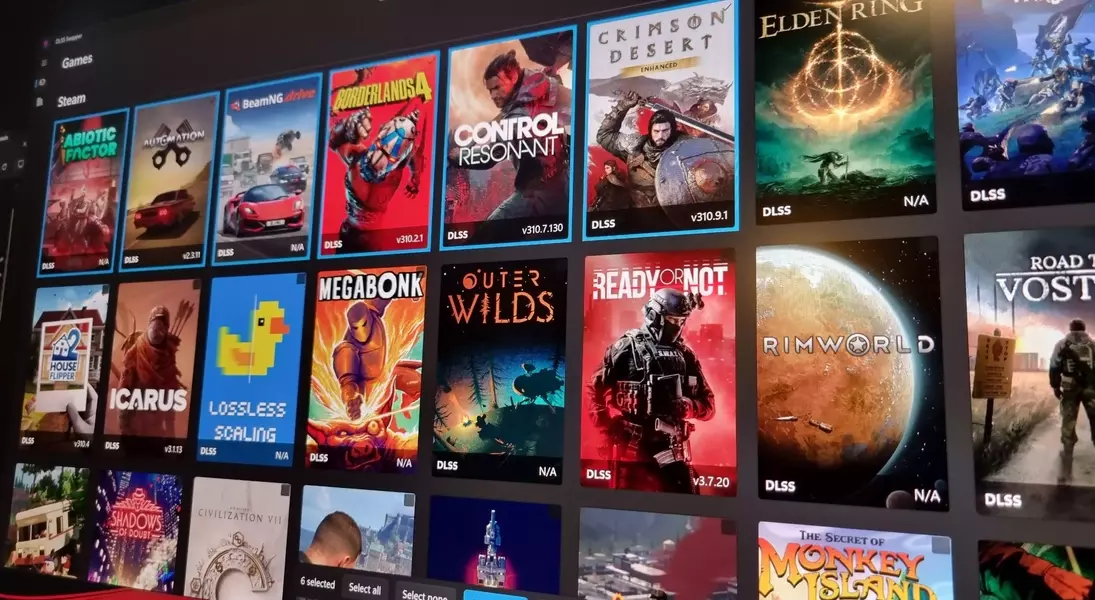
DLSS Swapper has received a significant update, introducing a highly anticipated bulk DLL swapping feature. This enhancement streamlines the process of managing various upscaling technologies across your game library, providing both convenience and improved performance options.
Elevate Your Gaming: Seamless Upscaling with Enhanced Control
Batch Updating for Enhanced Gaming Performance
The latest update to DLSS Swapper, version 1.2.7.0, brings a game-changing 'Bulk Swap' button. Located in the top right menu, this feature allows users to select multiple games, or even their entire library, and apply their preferred upscaling versions simultaneously. This eliminates the tedious process of updating each game individually, saving valuable time and effort.
Exploring NVIDIA's New Frame Generation Preset
In addition to bulk swapping, the update introduces DLSS Frame Generation Preset C. This new beta mode is designed to deliver a substantial performance increase, with reports suggesting up to a 35% boost on an RTX 5060, albeit with a minor reduction in visual quality. Gamers can now experiment with this preset to find the optimal balance between frame rate and graphics fidelity.
Comprehensive Upscaler Support and Easy Rollback
DLSS Swapper supports a wide range of upscaling technologies, including different iterations of DLSS, FSR, and XeSS, along with various frame generation options. The tool also provides a crucial safety net: the ability to restore games to their original DLLs and preset settings, either individually or in bulk, should any compatibility issues arise. This ensures that users can experiment with different configurations without fear of irreversible changes.
Important Considerations for Online Gaming
A key warning from DLSS Swapper's developers is the potential conflict with anti-cheat software in online games. Modifying game files, even for performance enhancements, can trigger anti-cheat mechanisms, leading to potential bans. Therefore, it is strongly advised to avoid using DLSS Swapper with games that have an online multiplayer component to prevent any unintended consequence