
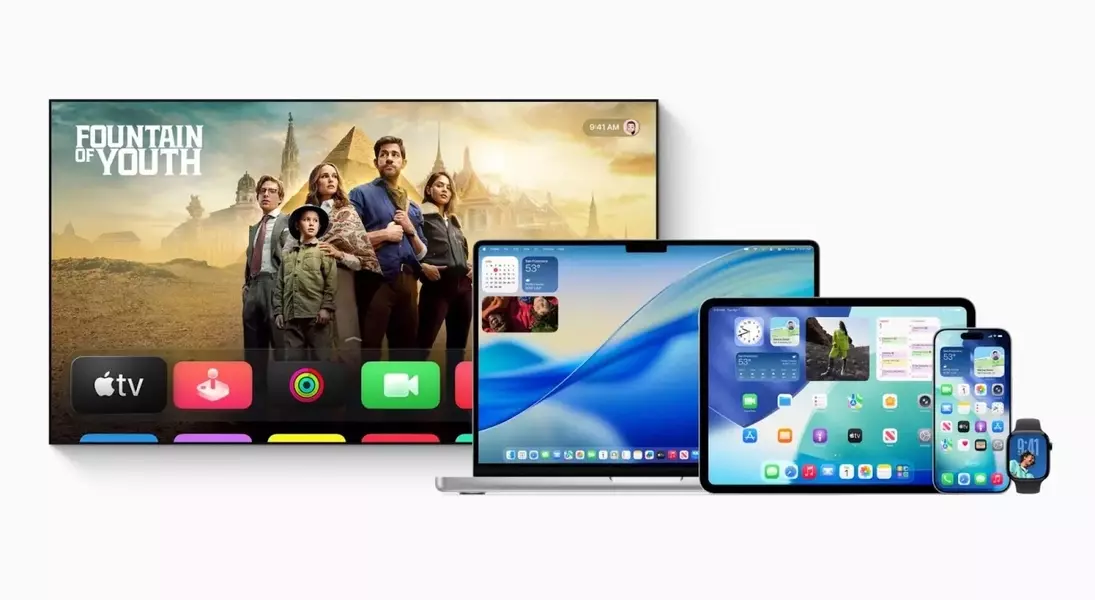
Apple's new \"Liquid Glass\" design paradigm signifies a substantial leap in interface aesthetics, aiming for a more intuitive and visually cohesive user experience across its diverse product ecosystem. This innovative approach seeks to bridge the gap between digital and physical, offering a fresh perspective on how users interact with their devices.
Embrace the Clarity: Apple's Liquid Glass Redefines Digital Interaction
Streamlined User Controls: A Design Evolution Towards Simplicity
A core tenet of the Liquid Glass transformation is the simplification of user controls. The design philosophy acknowledges that while transparency is aesthetically pleasing, overly large or intrusive elements can hinder usability. Apple has meticulously refined controls across various applications, and while an initial adjustment period may be necessary, the long-term benefits in user experience are evident.
Safari's Adaptive Interface: Maximizing Content Visibility
Safari in iOS 26 exemplifies this streamlined approach. Initially, the browser presents familiar elements like the URL bar and navigation buttons. However, as users scroll, these controls gracefully minimize to a discreet URL bar at the screen's base, optimizing the viewing area for web content. Re-engaging the full controls is as simple as tapping the minimized bar or scrolling upward, providing a seamless and efficient browsing experience.
Camera App's Intuitive Layout: Catering to All Skill Levels
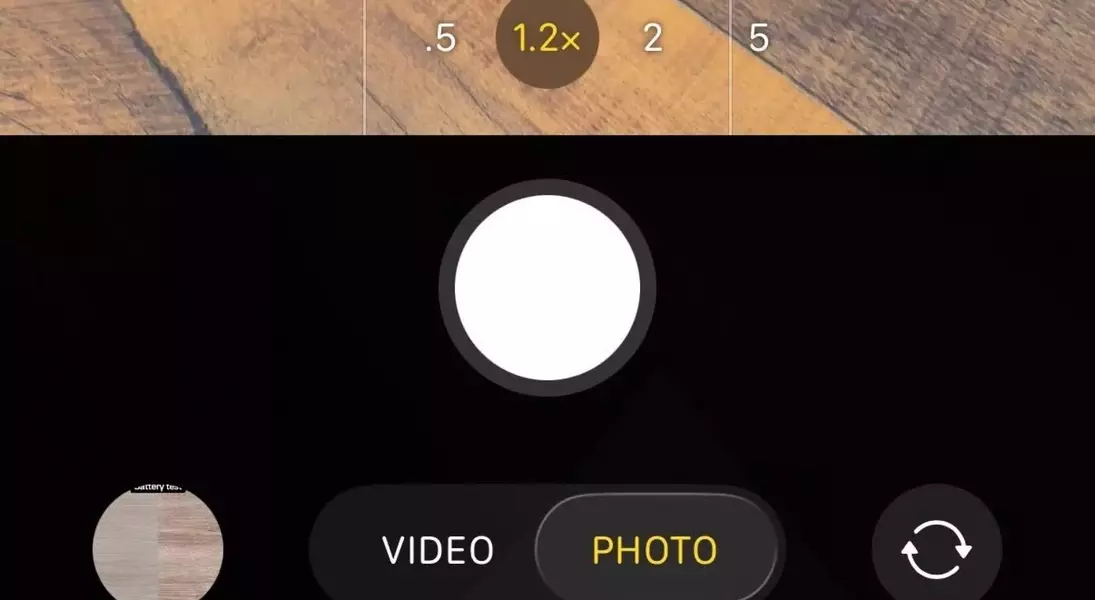
The updated Camera application also reflects a focus on intuitive design. It now prominently displays only the most essential shooting modes: Photo and Video. This caters to the average user seeking immediate functionality, while advanced modes remain readily accessible through a simple horizontal scroll. This thoughtful organization demystifies the camera interface, making it more approachable for casual photographers without compromising advanced features for enthusiasts.
Enhanced Lock Screen Aesthetics: A Transparently Beautiful Experience
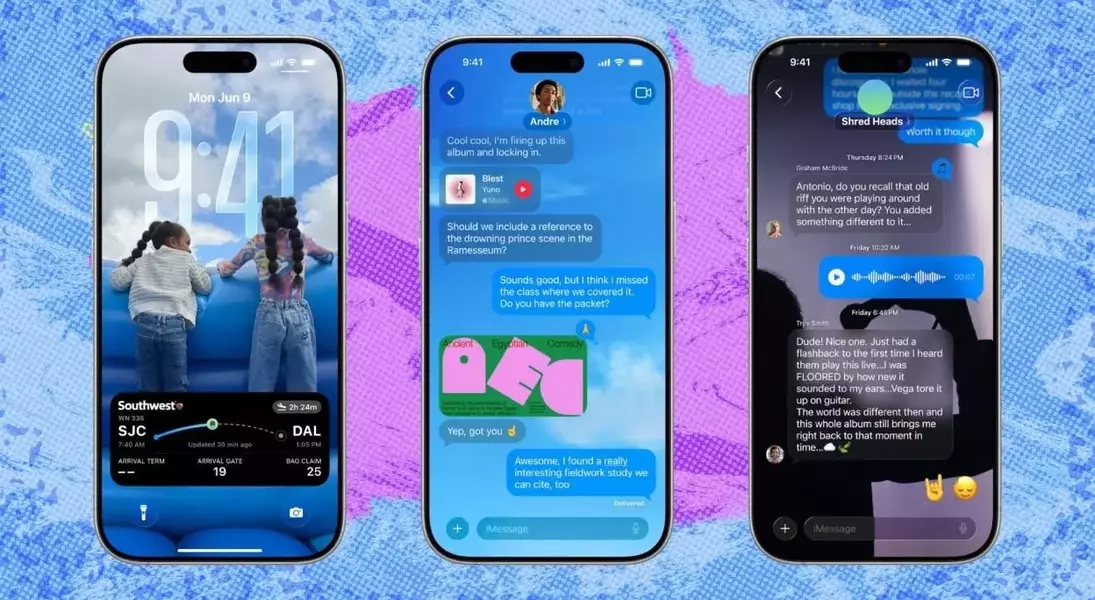
The integration of Liquid Glass extends to the lock screen, enhancing its visual appeal. Notifications and widgets, which previously offered some level of translucency, now exhibit a more refined and integrated appearance thanks to the Liquid Glass effect. All digital elements, including the clock and lock screen widgets, can adopt this dynamic effect, with options for clear or colored glass to complement various background images. Furthermore, the introduction of spatial scenes adds a captivating parallax effect to photos, creating a compelling three-dimensional illusion when the device is tilted. A new full-screen music feature also seamlessly integrates album art and controls into the lock screen, offering an immersive audio experience.
Unified Software Experience: Cohesion Across Apple's Ecosystem
Perhaps the most significant advantage of Liquid Glass lies in its ability to foster a more cohesive software experience across Apple's product line. This design language creates a unifying visual thread that connects iOS 26, macOS 26, watchOS 26, and iPadOS 26, surpassing the level of integration seen in previous iterations. While individual operating system redesigns have their nuances, the consistent application of Liquid Glass contributes to a more harmonious and integrated user journey across all Apple devices. This is particularly evident in iPadOS, where Liquid Glass, combined with new productivity enhancements, transforms the tablet into a more laptop-like computing experience.
Messages App: Room for Design Evolution
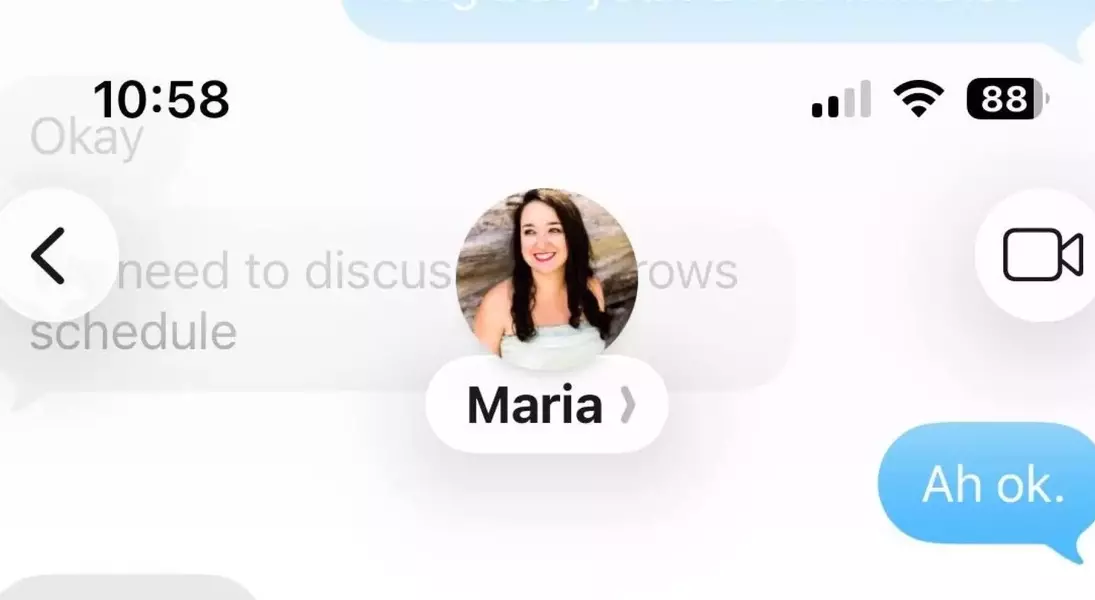
Despite the widespread success of Liquid Glass, its implementation in the Messages application presents certain design considerations that warrant further refinement. The replacement of traditional menu bars with floating controls, and the introduction of floating back and FaceTime buttons, alongside a contact label, deviate from the otherwise polished aesthetic. The floating contact bubble, in particular, can appear somewhat disproportionate, extending further down the screen than other elements. Additionally, a fading effect applied to chats, intended to highlight these controls, can result in an inconsistent visual experience, with backgrounds either lightening or darkening based on their composition. While not a critical flaw, this aspect of the design could benefit from further polish to align with the overall elegance of the Liquid Glass philosophy.
